
Flip over a book you bought at a bookstore and you will find a number starting with “ISBN 978-89-…” above the barcode. These 13 digits single out that one title from every other book, anywhere in the world.
ISBN stands for International Standard Book Number. Below, we follow six questions people actually search for, from how to read the number to how to look it up and obtain one.

ISBN at a Glance
- A 13-digit international identifier assigned to each edition and format of a book.
- It is divided into five parts: prefix, registration group, registrant, publication element and check digit.
- Books published in Korea add a five-digit add-on code after the ISBN that shows readership, format and subject.
1. What does ISBN mean?
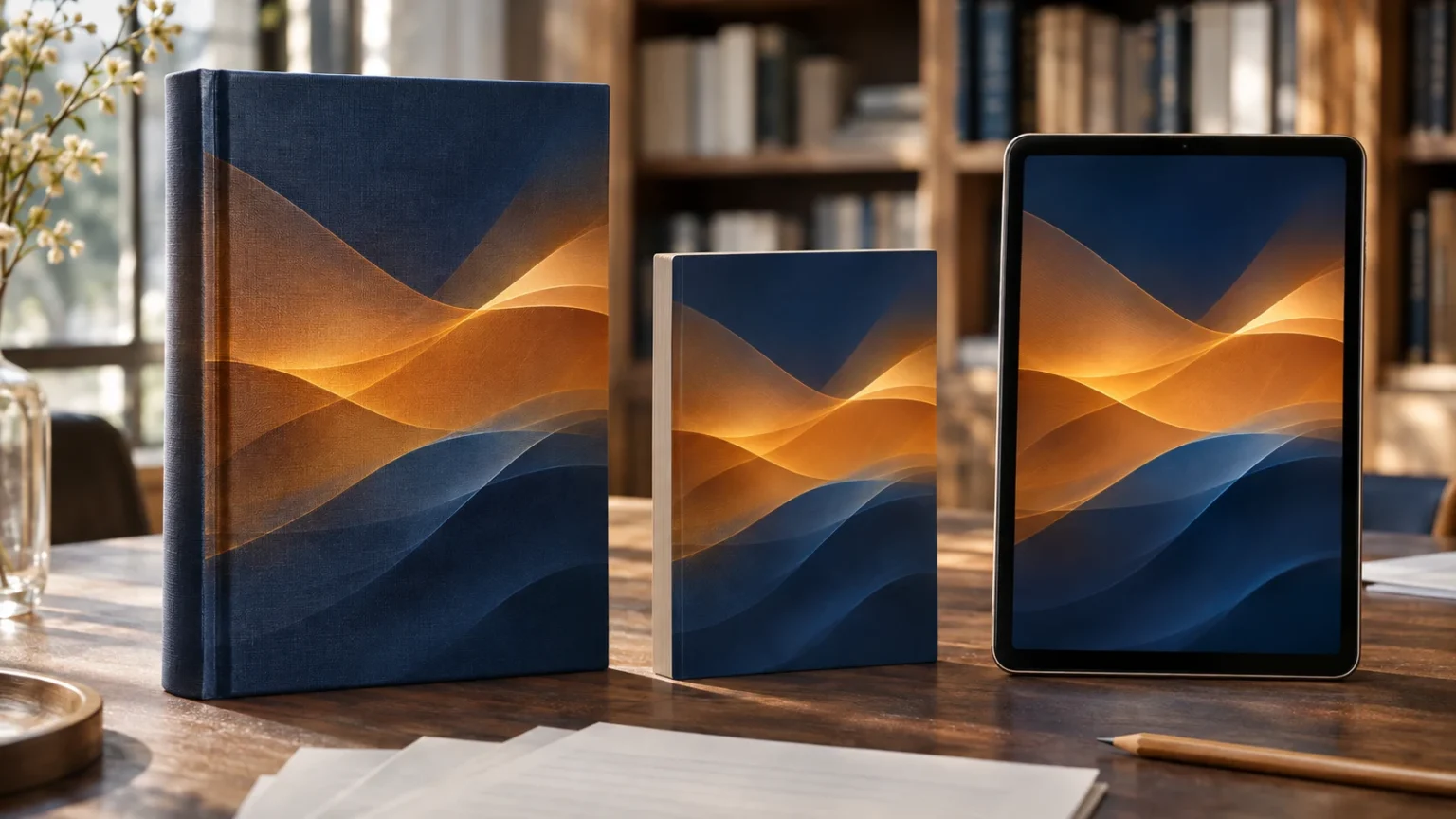
An ISBN is a unique identifier given, by an internationally standardized method, to books published around the world. Even the same book receives separate numbers for different formats such as hardcover, paperback and e-book, while an unchanged reprint keeps the same number.
It began in 1960s Britain. In 1965 the bookseller chain WHSmith announced plans for a standard numbering system, and the 9-digit Standard Book Number (SBN), devised by Gordon Foster, a statistician at Trinity College Dublin, was created in 1966. Building on it, the International Organization for Standardization (ISO) published the 10-digit ISBN as the international standard ISO 2108 in 1970, and since 1 January 2007 ISBNs have had 13 digits.
2. How do you read an ISBN?
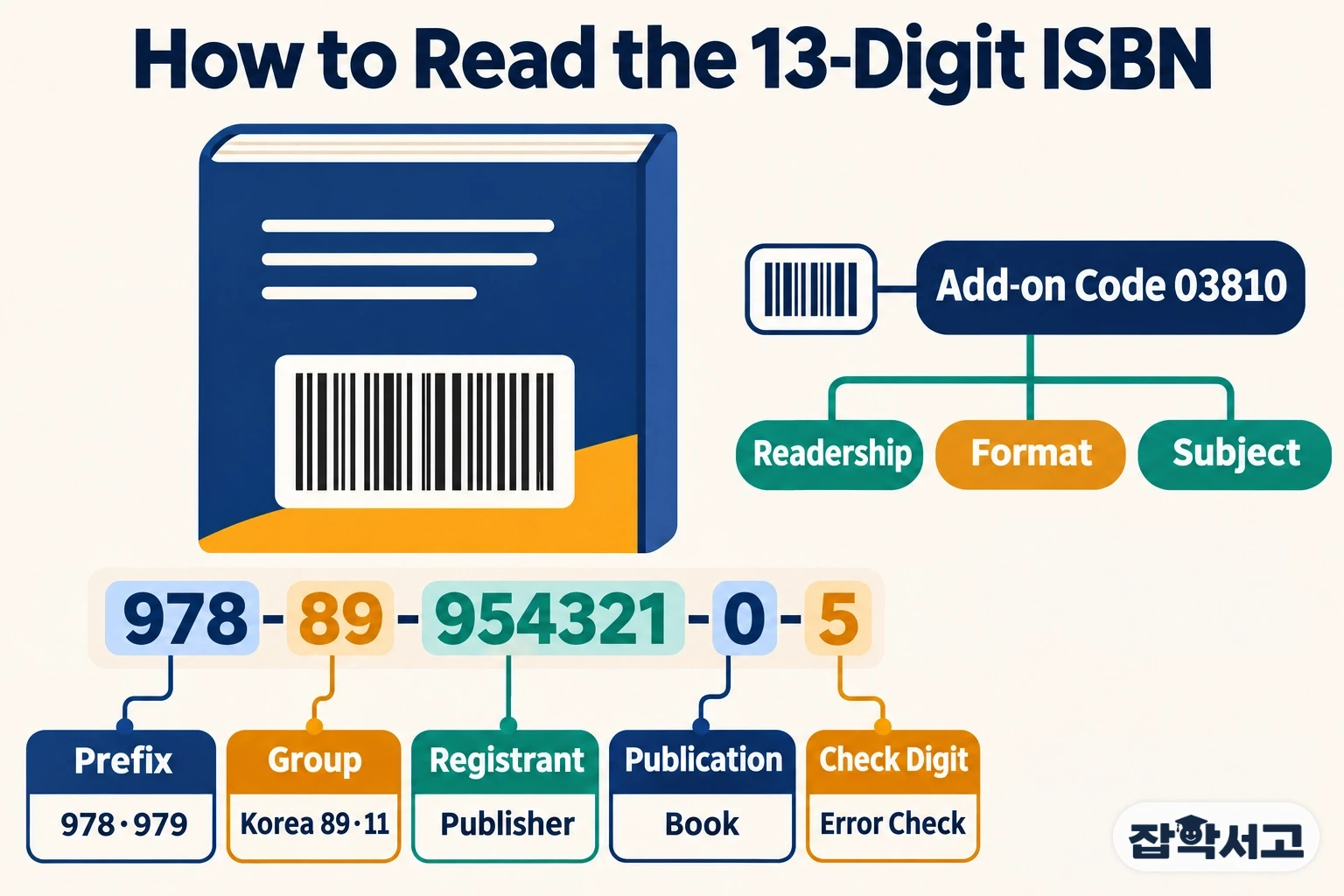
The 13 digits are read in five parts separated by hyphens. Here is how the National Library of Korea’s example, 978-89-954321-0-5, breaks down.
- 978 (prefix): a three-digit element assigned to books by the international product-code organization; it is either 978 or 979.
- 89 (registration group): Korea uses 89 with the 978 prefix and 11 with the 979 prefix.
- 954321 (registrant): the number Korea’s ISBN agency gives to a publisher, two to six digits long.
- 0 (publication element): a number the publisher assigns to each title; together with the registrant element it makes seven digits.
- 5 (check digit): the last digit, used to check whether the number was written correctly.
The check digit is chosen so that the sum of the first 12 digits, multiplied alternately by 1 and 3, becomes a multiple of 10. In the example above the sum is 125, so adding 5 brings it to 130. If a single digit is copied wrongly, the calculation no longer works and the error shows up at once.
3. What is the ISBN add-on code?
The add-on code is a five-digit number added after the ISBN in Korea. The first digit shows the readership, the second the format, and the third to fifth digits the subject, with the fifth digit always 0.
Readership codes include 0 general, 1 practical, 4 young adult, 7 children and 9 specialist, while format codes include 0 pocket book, 3 single volume, 5 electronic publication and 7 picture book or comic. So “03810”, often seen on novels, reads as a single-volume book for general readers that falls under Korean literature (810) within literature.
4. What is inside an ISBN barcode?
The barcode on a book’s back cover uses EAN-13, the format common to retail products. The 13-digit ISBN was designed to fit this product number and uses the same check-digit method, so a bookstore scanner reads it just like any other item.
When 10-digit ISBNs were in use, 978 was added in front for the barcode. A 10-digit number can still be turned into 13 digits by adding 978 and recalculating the check digit, but numbers starting with 979 have no 10-digit counterpart.
5. Where can you search for or look up an ISBN?

The easiest way is to type the 13 digits without hyphens into the search box of an online bookstore or a library catalog. Even when several books have similar titles, searching by number brings up exactly one title, down to its edition and format.
For books published in Korea, ISBN information can also be found on the website of the Korean Bibliographic Standards Center at the National Library of Korea. Hardcover and e-book editions of the same book have different numbers, so it is worth checking that the number matches the format you want.
6. How do you get an ISBN?
ISBNs are issued to the publisher that releases the book. In Korea, a publisher first receives a registrant number from the national ISBN agency and then applies for an ISBN for each new book; the check digit is calculated automatically during the application.
Eligible items are publications of a monographic nature, while custom-printed or self-published books that are not distributed through general channels are excluded. Magazines and journals that appear periodically carry an International Standard Serial Number (ISSN) instead of an ISBN.
In the end, the ISBN is a common language that lets every step, from making and selling a book to shelving it in a library, recognize the same book as the same book. Next time you pick up a book, try reading the 13 digits on the back cover in five chunks.
Recommended reading