This time, I would like to create a resource on grids, a concept considered important in design alongside layout. We will explore what a grid is, how it is structured, and what types of grids exist.
The Concept of a Grid
 Grids are characterized by regularity and consistency
A grid is a lattice-shaped framework used to arrange objects harmoniously. A grid system provides regular spacing and alignment, helping maintain visual balance and consistency.
A grid is a means of making layout components stand out more, and it is used in various design fields, including graphic design, web design, and product design.
The advantages of grids include organizing, clarifying, and focusing information, while also promoting creativity and increasing objectivity.
They also bring design elements together into a unified whole and ultimately reduce the cost and time involved in the work process.
The Components of a Grid
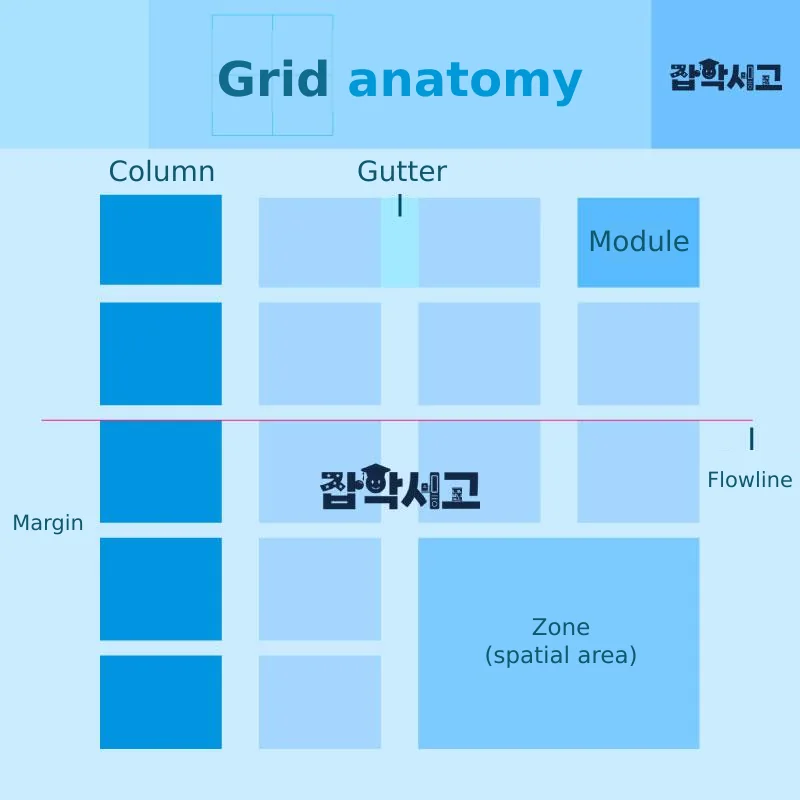 Grid Components
The image above was created to make the components of a grid easy to identify at a glance. We will examine each component—columns, column margins, margins, modules, zones, and flow lines—one by one.
Column (Vertical Division)
A column is a vertical space divided into one or more sections for arranging objects. The number of divisions should be determined by considering the visual effect and the amount of information.
Generally, columns are all made equal in size and length. If they are too long, they become tedious and cause fatigue; if they are too short, the content becomes difficult to understand.
Column Margin (Whitespace)
Column margins are the spaces between columns and should be considered while arranging the columns to find the optimal width. Although this varies depending on the situation, they are generally set to 1–3 times the line spacing.
Margin (Whitespace)
When looking at the space as a whole, margins are the empty areas around the outside of the grid. They provide balance and visual rest.
Depending on how they are used, margins can sometimes make a stronger impact than images, so their proportions should also be considered when designing.
Module (Unit)
A module is a small area formed by divisions at regular intervals and is the basic unit for dividing space. Multiple modules come together to form columns and rows, introducing variation into a space or creating consistency through repetition.
Zone (Area)
A zone is a framework formed by a group of modules. Depending on how they are used, zones can be kept separate or merged. They allow various arrangements according to their use, such as placing an image in the upper section and text in the lower section.
Flow Line
A flow line is an imaginary visual reference line that divides a space horizontally. Generally, one line is used within a space, and it plays an important role in giving a design consistency and stability.
Types of Grids
Block Grid
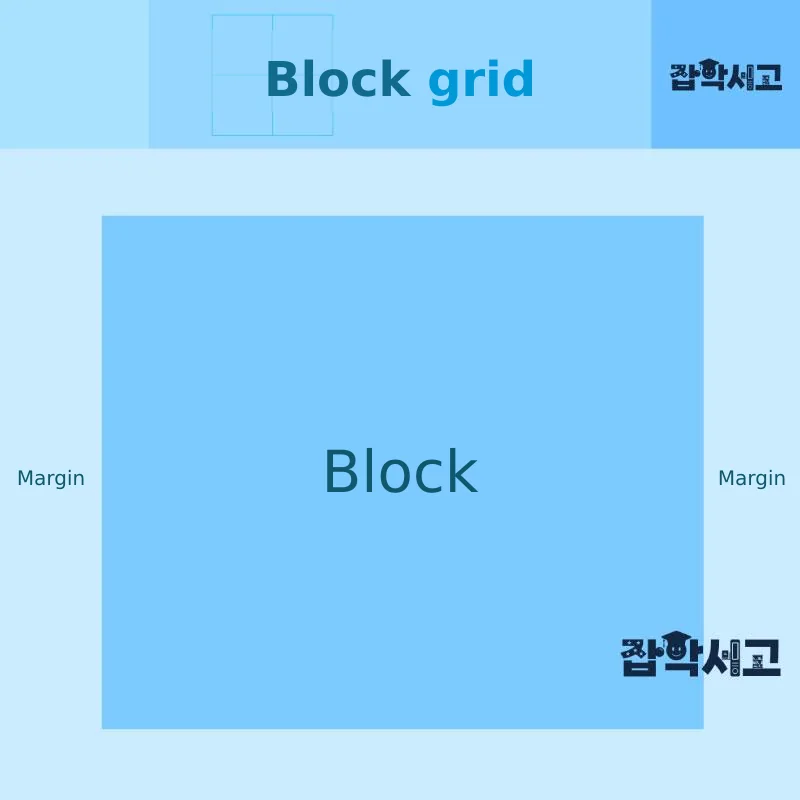 Conceptual Diagram of a Block Grid
A block grid is a simple grid in which a single large rectangle occupies most of the space. It is also called a box-style grid, and because its form is simple, the proportions of the surrounding margins are extremely important.
Sufficient margins can provide visual comfort, while margins that are too narrow increase tension. Therefore, a balance in the whitespace must be found by applying elements such as the golden section and proportion.
Column Grid
 Conceptual Diagram of a Column Grid
A column grid has a structure that allows various arrangements depending on the number of divisions. Generally, 2–6 columns are used, and it is effective for organizing information of different kinds.
It is therefore important to decide how many columns to use, and a single grid can be chosen to create a sense of unity, or, when the nature and characteristics of the content differ, individual columns can be separated and used for different purposes.
Modular Grid
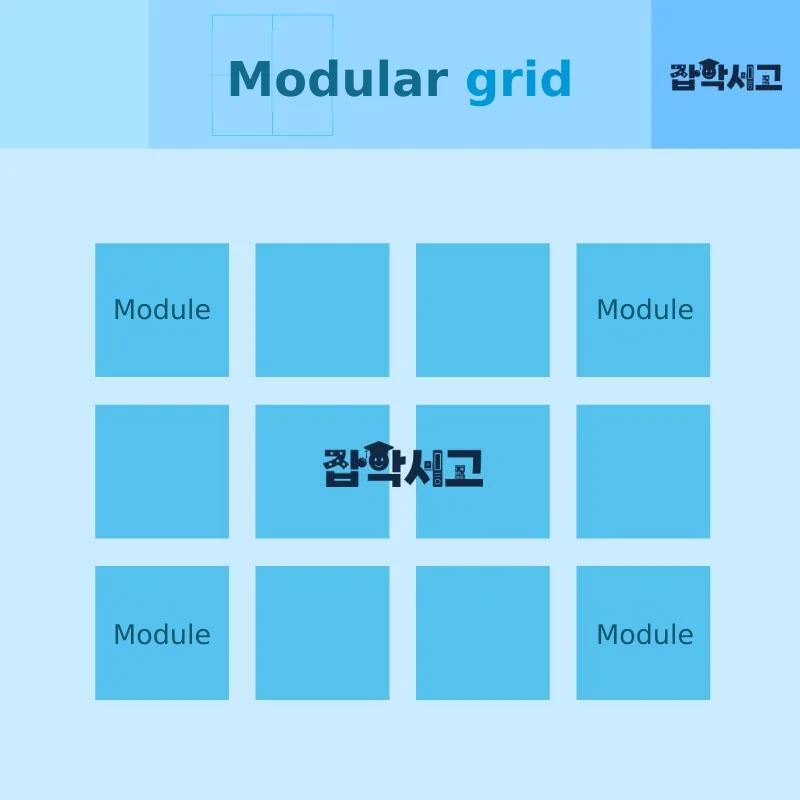 Conceptual Diagram of a Modular Grid
A modular grid is useful for handling very complex information, with horizontal lines added to a column grid to form modules, which then come together to form zones.
Its advantages include objectivity, practicality, and the ability to standardize large amounts of information, and it is useful for concept design and can easily accommodate various variables.
Hierarchical Grid
 Conceptual Diagram of a Hierarchical Grid
A hierarchical grid is mainly used when dealing with special visual information with differing characteristics. Website creation is a representative example of its use.
An advantage of a hierarchical grid is that it can be applied even when there are many subcategories. Websites have no space constraints in the vertical dimension, so they can present large amounts of information and display dynamic visuals, including videos.
Because it departs from conventional, organized grids, the designer's ability is extremely important, and the results can differ considerably.
Mixed Grid
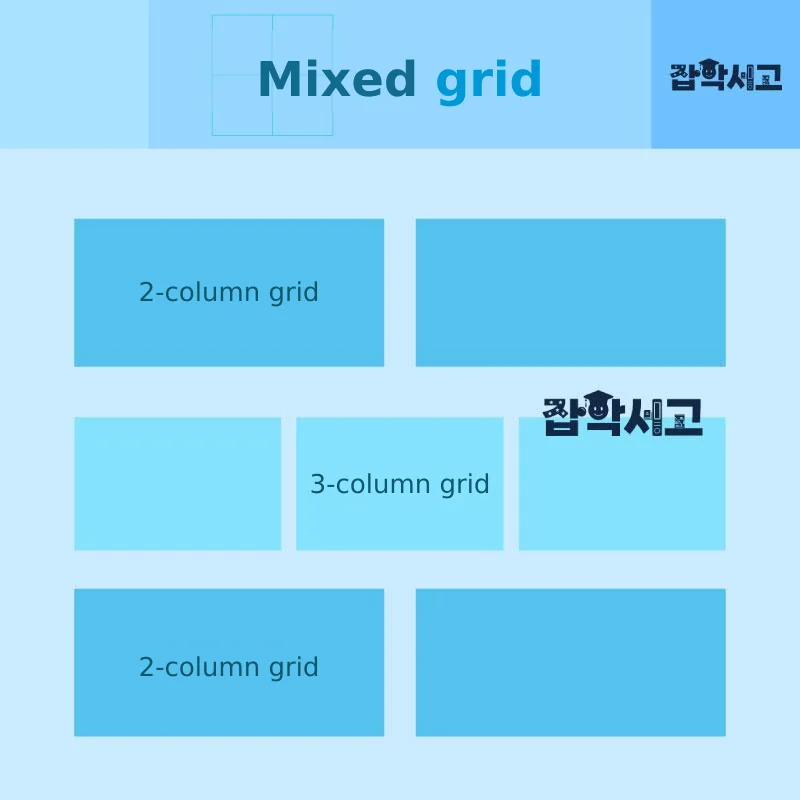 Conceptual Diagram of a Mixed Grid
A mixed grid combines 2 or more different grids. Its advantage is the ability to create dynamic spatial compositions.
Using a mixed grid allows varied and interesting compositions that move beyond the fixed forms of modular grids and the closed structure of column grids. However, care is needed because excessive use can cause confusion.
We have now explored grids, which add visual consistency and balance to design. Grids are a useful technique in various fields, including graphic design, web design, and publication design.
I hope this resource has helped you gain a deeper understanding of grids, and I will conclude by introducing a layout resource that is useful to study alongside them.
 The Concept and Components of Layout (View Details)