Video editing has become an essential part of digital content production today. In an era when people consume content through various platforms such as YouTube, Instagram, and TikTok, high-quality video editing skills are becoming more important than ever.
This article will examine in detail the basic techniques and essential tools for effective video editing, advanced editing techniques, applications of artificial intelligence, and tips and real-world examples for successful video editing.
An Introduction to Basic Techniques and Tools for Effective Video Editing
Choosing the Right Video Editing Software
For people who are just starting video editing, choosing editing software that suits their needs is important. Adobe Premiere Pro, Final Cut Pro, and DaVinci Resolve are leading editing applications, each with distinct strengths and weaknesses. Premiere Pro is popular among professionals for its wide range of features and flexibility, and it is also suitable for complex projects. Final Cut Pro is known for its intuitive interface and fast processing speed, and it is optimized for the Apple environment. DaVinci Resolve specializes in color grading and is an excellent tool for improving visual quality through advanced color management features. These applications can be selected according to their respective strengths and the user's needs.
Basic Video Editing Techniques: Cutting and Trimming
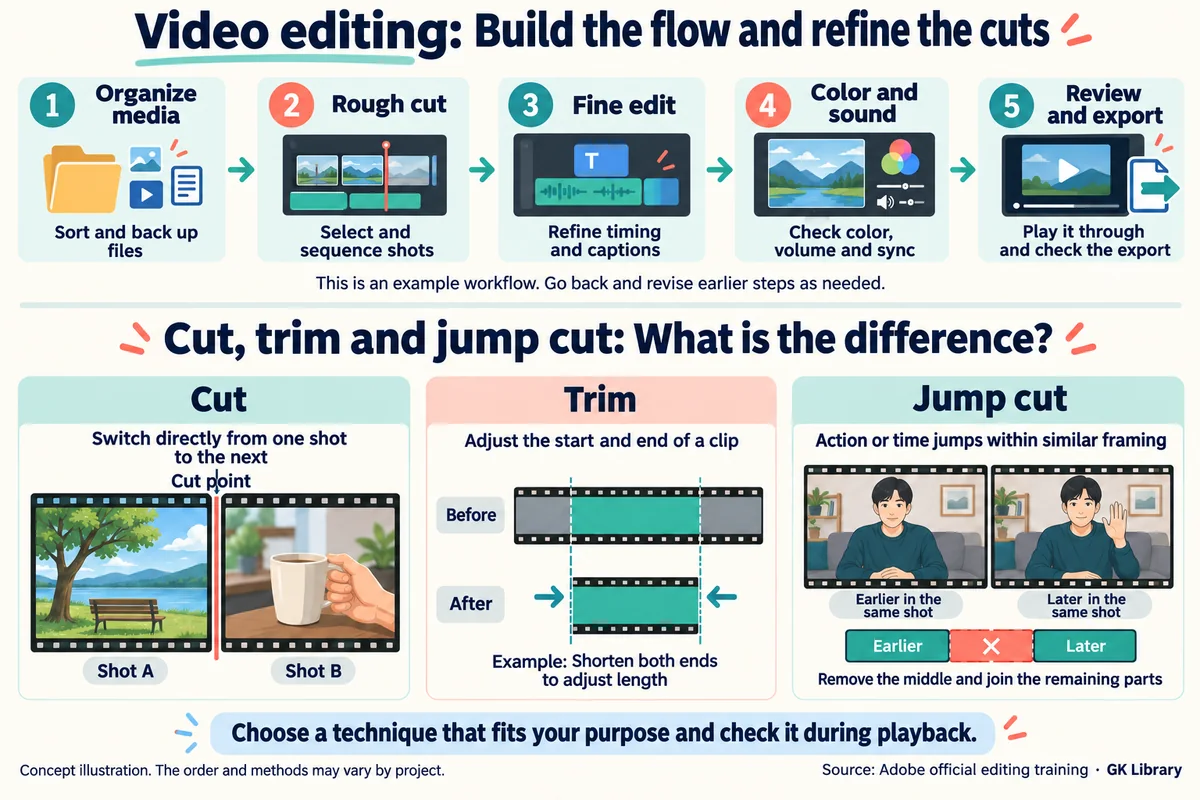
Cutting and trimming are the foundational techniques of all video editing. Cutting involves removing unnecessary portions of a video and leaving only the parts that are needed. Trimming is the process of precisely refining the beginning and end of a clip to adjust its timing. These basic techniques can make a video flow naturally and effectively convey the intended message to viewers. Making good use of cutting and trimming is essential for controlling story development and the passage of time.
Sequence and Timeline Management
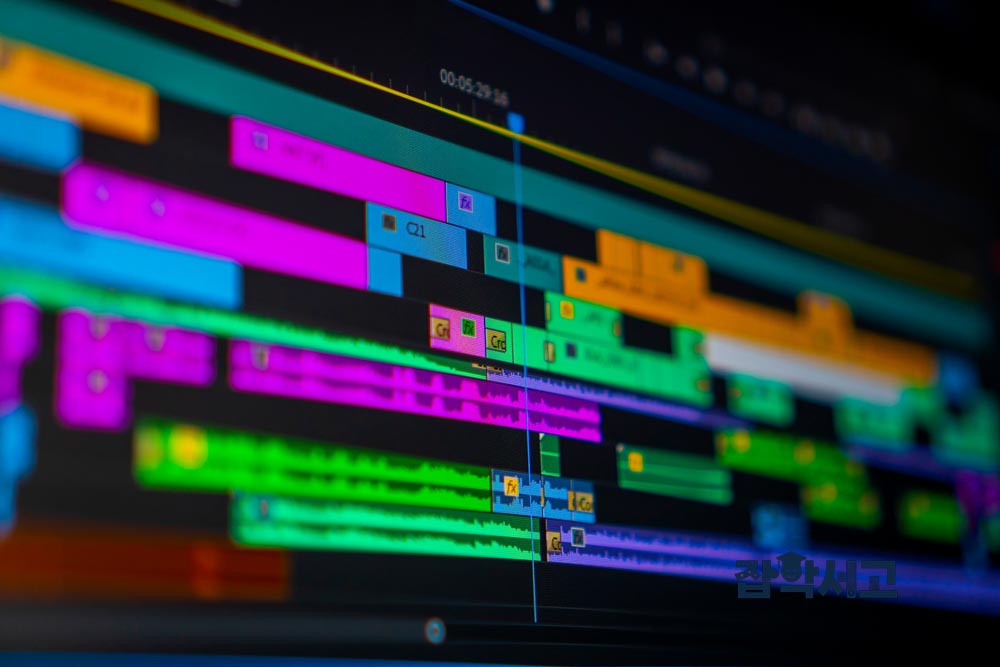
Managing sequences and timelines is an important factor that determines the efficiency of video editing. A sequence is the process of arranging clips in chronological order, while a timeline is a space that organizes them visually so that the workflow can be managed. Fine adjustments, such as positioning clips appropriately and adding transitions, are made through the timeline. Good timeline management speeds up the overall workflow and improves the quality of the finished work.
Audio Editing and Mixing
Audio editing is as important a part of video editing as the visual elements. Separating a clip's audio to remove noise and adding appropriate background music and sound effects can greatly increase a video's sense of immersion. Professional audio editing tools such as Adobe Audition can be used for detailed audio editing for this purpose. Balancing audio and video well can produce a more polished video.
Adding Subtitles and Graphic Elements
Subtitles are an important element for conveying information effectively and helping viewers understand it. Their role is particularly prominent in educational videos and content that requires explanations. Software such as Premiere Pro makes it easy to add subtitles and freely adjust the font, color, size, and position of the text. Subtitles serve as a tool for increasing viewer attention and conveying information accurately.
Using Special Effects and Transitions
Special effects and transitions are important techniques for improving video quality. Basic transitions such as fade-ins, fade-outs, and dissolves can make scene changes feel natural. Special effects can also be used to emphasize particular scenes or create a distinctive atmosphere. These effects are useful when you want to highlight a video's theme or leave a strong impression on viewers.
Choosing Hardware for Efficient Video Editing
High-performance hardware plays an important role in improving the efficiency of video editing. A high-performance CPU can process complex tasks quickly, while sufficient RAM is needed to handle multiple clips and audio files simultaneously. SSD storage increases working speed and minimizes delays during editing, while a high-resolution monitor makes detailed editing easier. Having suitable hardware can make a significant difference in both the quality and speed of your work.
Advanced Video Editing Techniques
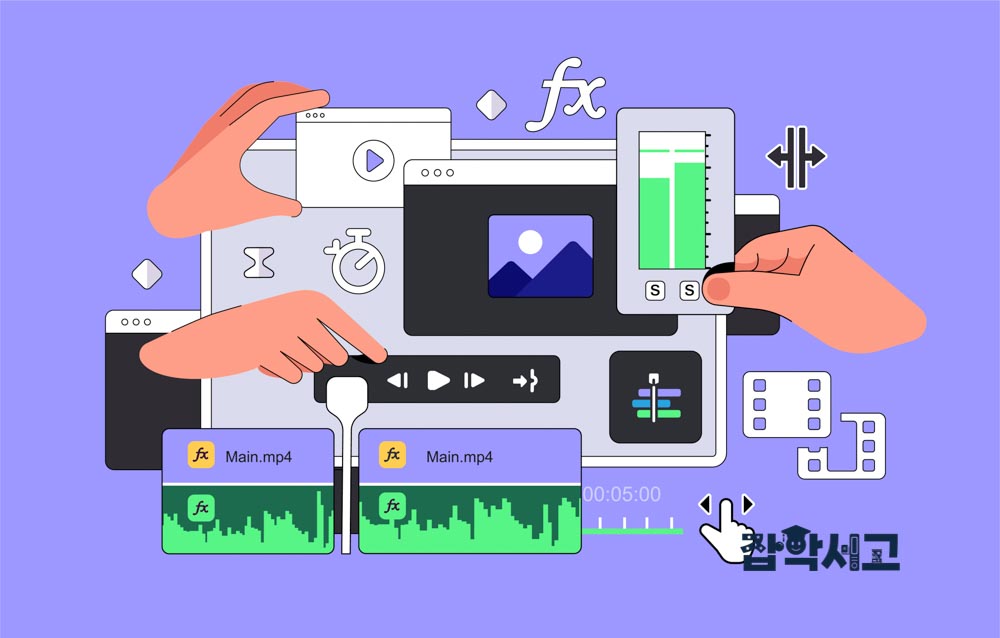
Cross-Cutting
Cross-cutting is an editing technique that alternates between two or more events or scenes to make them appear to be happening simultaneously in different locations. It is mainly used to heighten tension or emphasize connections between events. For example, alternating between a scene in which a character is in danger and simultaneous efforts to rescue them can increase the sense of urgency. This technique is an important tool for connecting two strands of a story and gives the audience the impression that the events are happening at the same time.
Montage
Montage is a technique that presents short clips in succession to condense events unfolding over a long period. It is useful for visually conveying changes in a character, the development of events, or the passage of time within a short period. For example, it is often used in sports films depicting training to quickly show a protagonist's gradual improvement. Presenting a series of different scenes speeds up the storytelling and can also provide a visually varied progression.
Jump Cut
A jump cut is an editing technique that abruptly skips the passage of time within a scene or breaks continuity within the same view. It is mainly used when a faster progression is desired through the compression of time, and it can create a somewhat unsettled feeling. Although this technique can look unnatural, using it deliberately can heighten tension or create a fast rhythm. Jump cuts are frequently used in documentaries and YouTube videos, and they are particularly effective when the aim is to omit portions of a conversation and convey only the key points.
Match Cut
A match cut is an editing technique that naturally connects two scenes through visually or conceptually similar elements. The scenes are connected by allowing a movement or shape that begins in one scene to continue in the same way in another, making the transition feel smooth. For example, in a scene showing someone holding a cup, the gaze directed at the cup can transition into another person's gaze, or objects with the same shape can lead naturally into another scene. This technique is useful for connecting the story and maintaining visual consistency.
Dissolve
A dissolve is a transition in which one scene gradually disappears while another gradually appears at the same time. It is effective for naturally connecting the passage of time or emotional changes between two scenes. Because another scene generally appears before the first one ends, this transition creates a visually smooth impression. It is frequently used to portray dreams or flashbacks, and it can soften the atmosphere or create a lyrical feeling.
Fade-In/Fade-Out (Fade In/Out)
A fade-in is an effect in which a scene begins as the screen gradually brightens, while a fade-out is a technique in which a scene ends as the screen darkens. This technique is mainly used at the beginning and end of a film or to express the passage of time during important scene transitions. Fades provide natural transitions and are effective for leaving a lingering emotional impression or signaling that a story is entering a new phase. Fade-ins and fade-outs can give a story a powerful opening or a memorable ending.
Action Cut
An action cut is a technique in which the same action is filmed from various camera angles and then edited with rapid transitions to create a more dynamic feeling. For example, filming a protagonist opening a door and leaving from several angles, then cutting between those angles to show the action, can maximize the sense of urgency and energy. This technique is widely used in action films and thrillers, and it is suitable when scenes need to develop rapidly.
Overlap Editing
Overlap editing is a technique that repeatedly shows the same scene with overlapping portions to emphasize the repetition of time. It is used to emphasize slow movement or visually highlight the importance of an event. For example, replaying an important moment can leave a strong impression or heighten tension. It makes repeated movements register more strongly with viewers and is frequently used at particularly dramatic moments.
Sequence Shot
A sequence shot is a technique in which a continuous scene is filmed with a single camera over a long period without interruption and used as it is, without editing. This technique maximizes immersion in the scene and requires a high level of technical skill because both camera movement and the actors' movements must be considered together. It is mainly used to sustain dramatic tension or show the progression through a particular space or a character's movements at a glance. A sequence shot immerses the audience and allows a great deal of information to be conveyed in a single scene.
Iris Shot
An iris shot is a technique that highlights a circular portion of the screen while darkening the rest to focus attention on a particular subject. It was widely used in early cinema and is occasionally used in modern films to emphasize a particular scene or create a close-up effect. An iris shot is effective for highlighting a particular subject or character and can give a scene a distinctive beginning or ending.
Superimposition
Superimposition is a technique that overlays two or more videos and presents them as a single scene. It can give the image multiple layers of meaning or create a visually distinctive atmosphere. It is mainly used to convey symbolic meaning or create fantastical scenes, providing the audience with a composite image. It is effective for depicting dreams, flashbacks, and abstract concepts.
Relay Editing (Relational Editing)
Relay editing is an editing technique that connects two seemingly unrelated scenes to create new meaning. By alternating between scenes that are connected symbolically or conceptually, it suggests a relationship between two events or offers a new interpretation. For example, connecting images of nature with scenes of industrialization can symbolically illustrate the relationship between humans and nature. This technique encourages the audience to reinterpret scenes and is frequently used in films and advertisements to convey a deeper message.
How to Use Color Grading, Effects, and Transitions
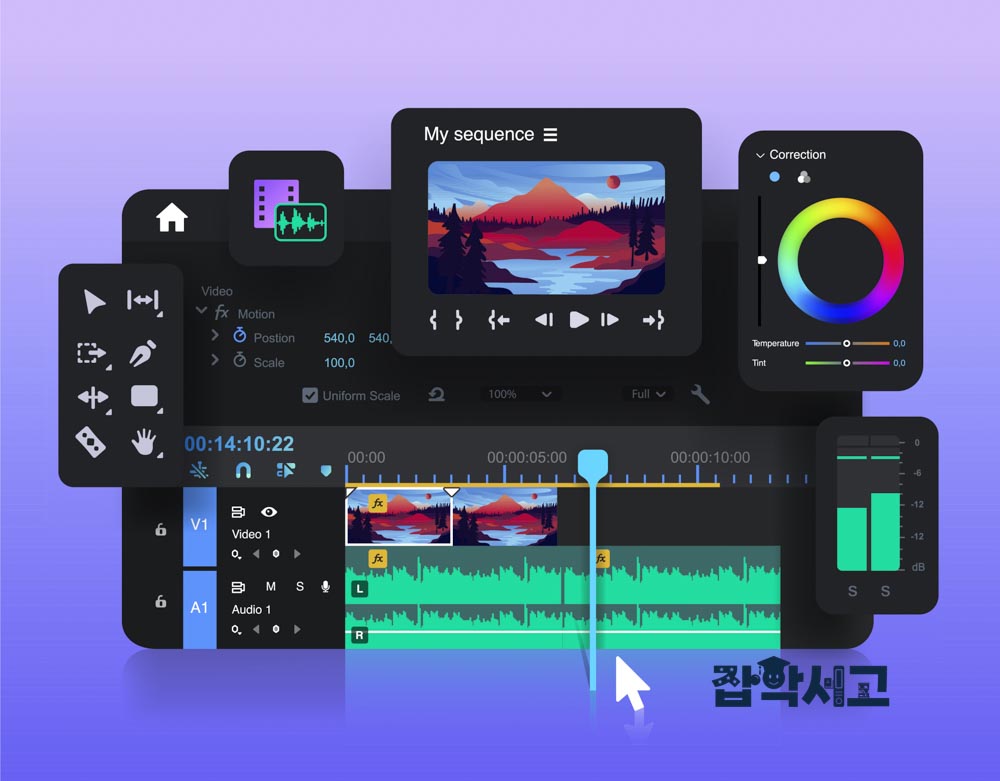
Advanced Color Grading Techniques
Color grading is a key process that determines the overall mood and emotion of a video. It allows the colors, brightness, contrast, and other properties of a video to be adjusted to create a particular feeling. Color grading plays an important role in adding emotional immersion for viewers of videos such as films. DaVinci Resolve is particularly strong in color grading, and Premiere Pro's Lumetri Color panel is also used as a powerful tool. For example, a cinematic look can be created through low contrast and an emphasis on particular hues to produce a film-like atmosphere. Color grading is an essential advanced technique for maintaining consistency and emphasizing emotion in a video.
Replacing Backgrounds Through Keying
Keying is a technique that uses a green screen or blue screen to remove a background and replace it with another. It is commonly used in films, advertisements, and news broadcasts, allowing viewers to be shown new settings or a particular atmosphere to be created. Software such as Adobe After Effects makes it easy to perform keying and remove backgrounds with high precision to produce natural-looking results. Keying is an essential editing task after filming with a green screen and plays an important role in creative video production.
Tracking and Motion Graphics
Tracking is a technique that follows a particular object in a video and adds text or graphics over it. It can create an effect in which text or graphics move along with an object as its movement is followed, so it is frequently used in sports broadcasts and explanatory videos. Adobe After Effects' tracker tool enables precise tracking, which can be used to create dynamic and immersive videos. Adding motion graphics also makes it possible to create more lively visuals.
Transitions and a Natural Flow
Transitions are an important element for smoothly connecting the flow of a video. Dissolve, Slide, and Wipe are frequently used transition techniques that make connections between scenes feel natural and provide viewers with a consistent visual experience. In particular, appropriately handling transitions between important scenes keeps a video flowing smoothly and improves the quality of the editing. Adobe Premiere Pro provides a wide range of transitions, and users can also customize them themselves.
3D Effects and Videos with Depth
3D effects add depth and dimensionality to a video, providing viewers with a more immersive experience. 3D modeling can show products from various angles or realistically depict complex scenes. Software such as Blender or Cinema 4D can be used to create original results through 3D modeling and animation. Using 3D effects in product advertisements can emphasize a product's characteristics more visually, while films frequently use them to depict science-fiction scenes or worlds that differ from reality.
The Efficiency of Multicam Editing
Multicam Editing is a technique that synchronizes footage filmed with multiple cameras so that it can be edited simultaneously. It is mainly used for concerts, interviews, sporting events, and other situations that require filming from multiple angles, and it maximizes editing efficiency by making it easy to switch between angles. Adobe Premiere Pro's multicam editing feature makes it easy to manage footage from multiple cameras and freely choose angles while editing. This allows editing to be carried out quickly and efficiently even in complex filming environments.
Video Editing Trends: Applying Artificial Intelligence and Automation
Automated Editing Techniques Using Artificial Intelligence (AI)
Artificial intelligence is establishing itself as an innovative tool in video editing. AI-based automation plays an important role in significantly reducing working time and increasing efficiency. For example, Adobe Premiere Pro's Auto Reframe feature uses AI to automatically adjust the important portions of a video to suit various aspect ratios. This technology allows videos with different aspect ratios to be used efficiently on social media platforms and eliminates the need to adjust frames manually, one by one. With AI's help, editors can devote more time to their core tasks.
AI-Based Color Grading
AI-based Color Grading is also simplifying complex stages of video editing. DaVinci Resolve's Color Match feature uses AI to automatically apply particular hues or themes. For example, this feature is very useful when you want to imitate the color palette of a film or maintain a consistent visual style. It reduces the complexity of color grading and makes it possible to achieve consistent results quickly. Using AI enables more precise color grading and improves the quality of the finished work.
Automated Subtitle Generation
Automatic subtitle generation is one of the most practical areas of AI editing technology. Software such as Adobe Premiere Pro provides speech-to-text functionality that analyzes a video and then automatically generates subtitles. This technology greatly reduces working time, particularly when subtitles for a long video would otherwise need to be written individually. Automatic subtitle generation is also effective for multilingual subtitle work and is used as an essential tool in producing content for global markets.
Facial Recognition and Object Recognition
AI-based facial recognition and object recognition are opening up new possibilities in video editing. Facial recognition can automatically organize and edit all clips featuring a particular person, while object recognition can automatically search for particular objects or scenes to enable rapid editing. These technologies greatly reduce the time spent finding particular clips, especially in large-scale projects. As a result, editors can focus on more creative and important work.
Video Restoration and Upscaling Through Deep Learning
Deep learning is bringing revolutionary changes to the restoration and enhancement of old or low-quality footage. Software such as Topaz Video Enhance AI can use Upscaling technology to convert low-resolution footage into high-resolution video. This allows old archival footage or historical records to be restored to modern standards of quality and low-quality footage to be transformed into high-quality video. This technology plays an essential role in video restoration projects.
Real-Time Collaboration Features
Real-time collaboration features have become an essential element of digital content production. In particular, Adobe Premiere Pro's Team Projects feature, which provides an environment where multiple editors can work simultaneously, plays an important role in remote work and global projects. It maximizes project efficiency by allowing editing progress to be shared in real time and changes to be incorporated immediately. This improves communication between teams and makes it possible to manage the entire video editing process more efficiently.
Tips and Real-World Case Analysis for Successful Video Editing
Thorough Planning and Storyboarding
The first step in successful video editing is thorough planning. Creating a storyboard to visualize the flow of a video and the composition of each scene in advance reduces confusion during editing. It establishes the overall structure of the video beforehand and makes consistent storytelling possible during filming as well. A storyboard is a tool for determining the order of important scenes and planning the required shots in detail, making organized editing possible. Storyboards are particularly essential for complex projects.
Effective Clip Management
Clip management is essential in video editing projects that involve many clips. This is because poorly organized clips make it take longer to find the desired scenes. To prevent this, clips should be managed systematically by organizing them into categories and adding tags. In Premiere Pro's Project panel, clips can be organized into folders or given tags and metadata to make the required clips easy to find. Efficient clip management speeds up editing and helps work proceed systematically.
Synchronizing Audio and Video
Synchronizing audio and video is particularly important in multicam filming. Incorrect synchronization can make a video feel awkward and cause discomfort for viewers. Premiere Pro's Synchronize feature helps resolve these synchronization problems easily. It can align multiple clips simultaneously or automatically synchronize them using an audio track as a reference, which is useful for reducing editing time and maximizing efficiency.
Color Grading with Reference Footage
Color Grading is an important task that determines the mood of a video. Preparing reference footage in advance is helpful for effective color grading. When working with a particular look or theme in mind, using suitable footage as a reference makes the task much easier. For example, if you want to achieve color grading similar to the colors of a particular film, working with that film as a reference can help maintain a consistent mood. DaVinci Resolve's Color Match feature is a tool that automatically applies color grading based on reference footage, greatly helping to save time and maintain consistency.
Improving Through Feedback
Editing is not simply completed in a single pass; it is a process of continued improvement through ongoing feedback. After completing an initial version, receiving feedback from team members or target viewers is an important step. It can reveal hidden problems or clarify specific areas that need improvement. In particular, Adobe Premiere Pro's Team Projects feature allows feedback to be incorporated in real time, providing considerable efficiency in collaborative work. A finished video that incorporates feedback well can give viewers greater satisfaction.
Learning Through Real-World Case Analysis
Analyzing well-known examples of editing and studying their techniques is also an important part of successful video editing. For example, the famous YouTuber Casey Neistat has gained widespread popularity with his concise and intuitive editing style. Analyzing his video editing techniques can teach you how to create short, impactful cuts, rapid transitions, and creative storytelling. Such analysis of real-world examples provides important learning material for acquiring new editing techniques and producing better results.
Successful video editing combines various elements, including thorough planning and preparation, efficient clip management, incorporating feedback, and case analysis. Understanding and using these elements well makes it possible to produce more polished editing work.
Video editing is not simply a matter of joining clips together, but a complex process that combines creative and technical elements. Starting by learning basic tools and techniques, then actively using advanced techniques and the latest trends, makes it possible to produce more polished results.
Thorough preparation during the planning stage and a process of gathering feedback are also important for successful editing. I hope this article provides an opportunity to understand the various aspects of video editing and apply them to practical work.