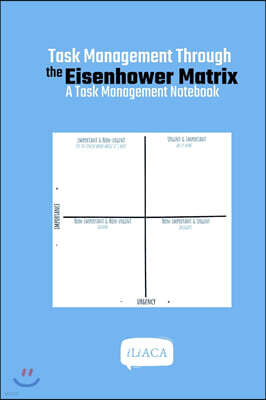
“I have two kinds of problems, the urgent and the important.” Dwight D. Eisenhower, the 34th president of the United States, said this in a 1954 speech, borrowing the words of a former college president.
He added that what is urgent is seldom important, and what is important is seldom urgent. The Eisenhower Matrix turns this idea into a 2×2 grid and is also called the urgent-important matrix.
The grid became widely known after Stephen Covey introduced it as the ‘Time Management Matrix’ in his 1989 book The 7 Habits of Highly Effective People. A single sheet of paper is enough, yet following the steps in order can noticeably change the way you see your to-do list.

How to Use the Eisenhower Matrix, Step by Step
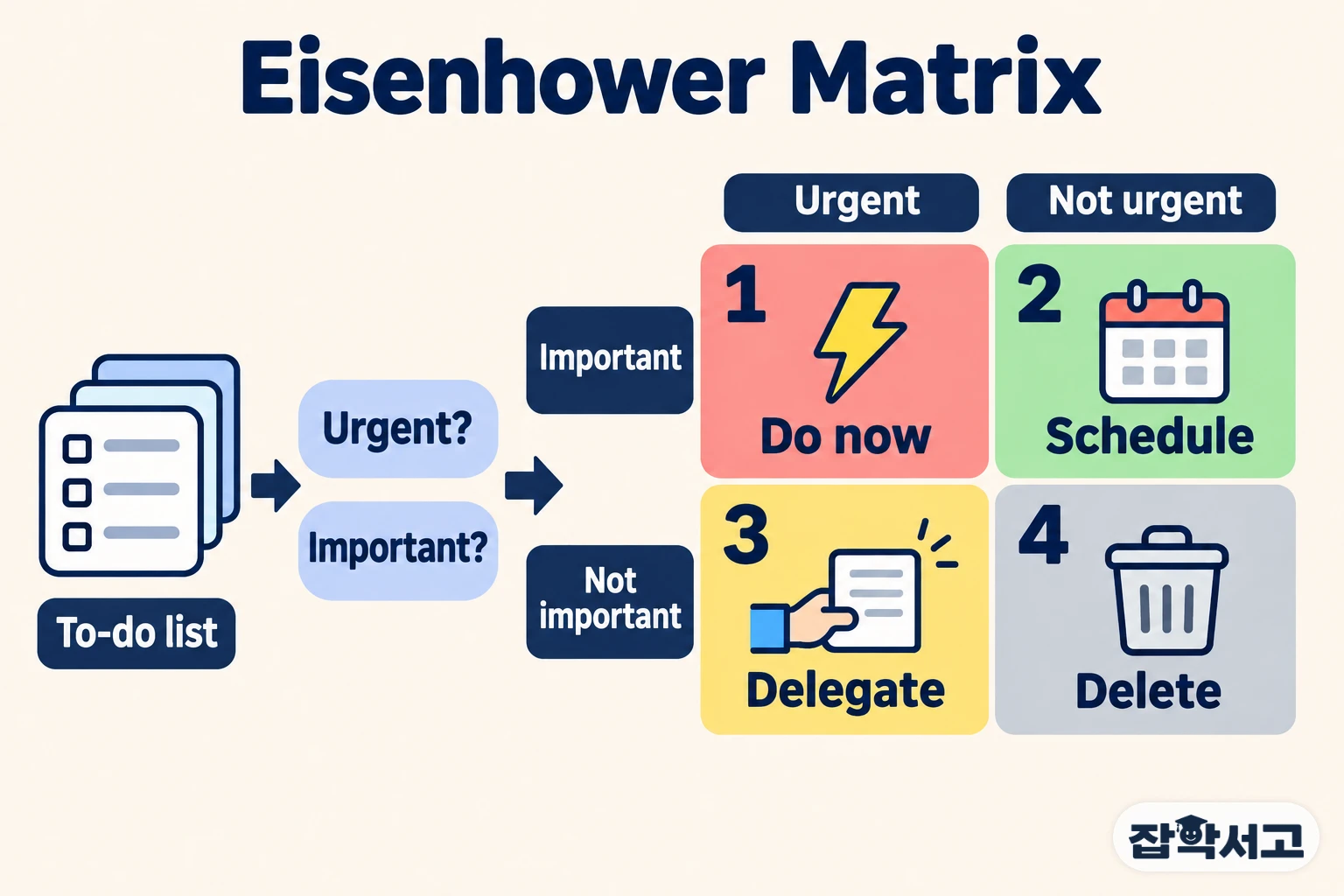
The whole process has four steps: write down every task, ask two questions, sort the tasks into four boxes and handle them, then review regularly. The names of the boxes vary from book to book, but they are often summed up as Do, Schedule, Delegate and Delete.
Step 1: Get every task out of your head and onto paper

The first step is not sorting but listing. Write down every task, big or small, as it comes to mind: work, chores, people to contact, studying you have put off. When tasks stay only in your head, the most recent or the noisiest one tends to feel bigger than it really is.
Instead of a vague item such as ‘write the report’, break it into pieces you can finish in one go, such as ‘gather data for the report’ and ‘write the first draft’. This makes the next step much easier. Paper or a notes app—either works.
Step 2: Ask “Is it urgent?” and “Is it important?” separately
Now ask two questions about each item. Urgent means the deadline is close, or a problem will arise right away if you do not respond. Important means it is connected to your goals, your responsibilities or results that will last.
The key is not to mix the two questions. A ringing phone or a pile of notifications may be urgent without being important, while many things, such as looking after your health or building your skills, are important yet never seem urgent.
For example, finishing the slides for tomorrow morning’s presentation is urgent and important. Studying for a certification exam next month is important but not yet urgent. Tidying up some simple data a colleague asked for is urgent but may not need to be done by you, and opening social media out of habit is neither.
Step 3: Put each task in one of four boxes and treat each box differently
Combining the answers to the two questions places every task in one of the four boxes. Each box calls for a different approach.
Quadrant 1: Do urgent and important tasks now
These include an assignment due today, a customer’s urgent problem or going to the doctor when you are ill. They cannot wait, so handle them right away. If this box is always full, though, it is worth checking whether tasks you did not prepare for in advance have turned urgent and spilled into it. Days spent only in Quadrant 1 quickly wear you out.
Quadrant 2: Schedule important but not urgent tasks

Exercise, study, caring for relationships and long-term planning belong here. With no deadline, they are the easiest to push aside, yet this is the box Covey stressed most. Put a date and time on your calendar to turn ‘someday’ into ‘Thursday at 7 a.m.’ Covey believed that steadily investing time here lets you prepare ahead, so the urgent fires of Quadrant 1 gradually shrink as well.
Quadrant 3: Delegate urgent but not important tasks
These are things like answering a flood of emails, meetings you do not really need to attend and simple bookings. Something urgent for someone else easily feels urgent to you, so this box is often mistaken for Quadrant 1. Hand these tasks to another person or an automation tool, or batch them into a set time and finish them quickly. If there is no one to delegate to, the way to handle this box is to cut the time you spend on it.
Quadrant 4: Delete tasks that are neither urgent nor important
Scrolling through videos with no purpose or browsing shopping apps out of habit falls into this box. You may cling to them because of the time already spent, a trap similar to the sunk cost fallacy. Boldly cross them off your list. Planned rest, however, is not something to throw away; it is closer to Quadrant 2.
Step 4: Re-sort the boxes once a week
The matrix is not a chart you draw once and forget. A task that sat in Quadrant 2 yesterday moves to Quadrant 1 as its deadline approaches, and when circumstances change, new tasks appear that you can delegate. About once a week, look over the list again and update the boxes.
This loop of planning, doing and reviewing also resembles the PDCA cycle. At the end of the week, count how many Quadrant 2 tasks you completed, and you will see at a glance where your time is going.
Common sticking points at each step
The method looks simple, but in practice people often stall in a few places.
- Step 1: The list grows endlessly. Limiting it to ‘what I will do this week’ makes it much lighter.
- Step 2: Everything looks important. Asking whether the result will still matter a year from now makes it easier to tell.
- Step 3: Your hand reaches for urgent tasks first. In 2018, researchers in the United States showed in experiments that people tend to choose tasks with short deadlines over tasks with bigger rewards, and called this the ‘mere urgency effect’.
- Step 4: You forget to review. Block out 10 minutes on your calendar at the same time on the same day every week.
Urgent tasks make noise on their own, while important tasks wait quietly. The Eisenhower Matrix is a tool for finding those quiet tasks and putting them on your calendar.
Recommended reading