Modern digital products and services place importance on user experience and satisfaction, and the importance of UI(User Interface) and UX(User Experience) design is emphasized as a means of achieving these goals.
UI refers to the interface that allows users to interact with a product or service, while UX refers to the experience users have while using a product or service.
UI/UX design aims to provide users with a more convenient and satisfying experience by understanding their behavior, preferences, and needs and reflecting these in product or service design.
Against this background, planning and analysis for UI/UX design serve as decisive factors in the success of a product or service.
This resource aims to explore the basic concepts of UI/UX, methods for planning and analyzing it, and useful tips.
What Is UI/UX?
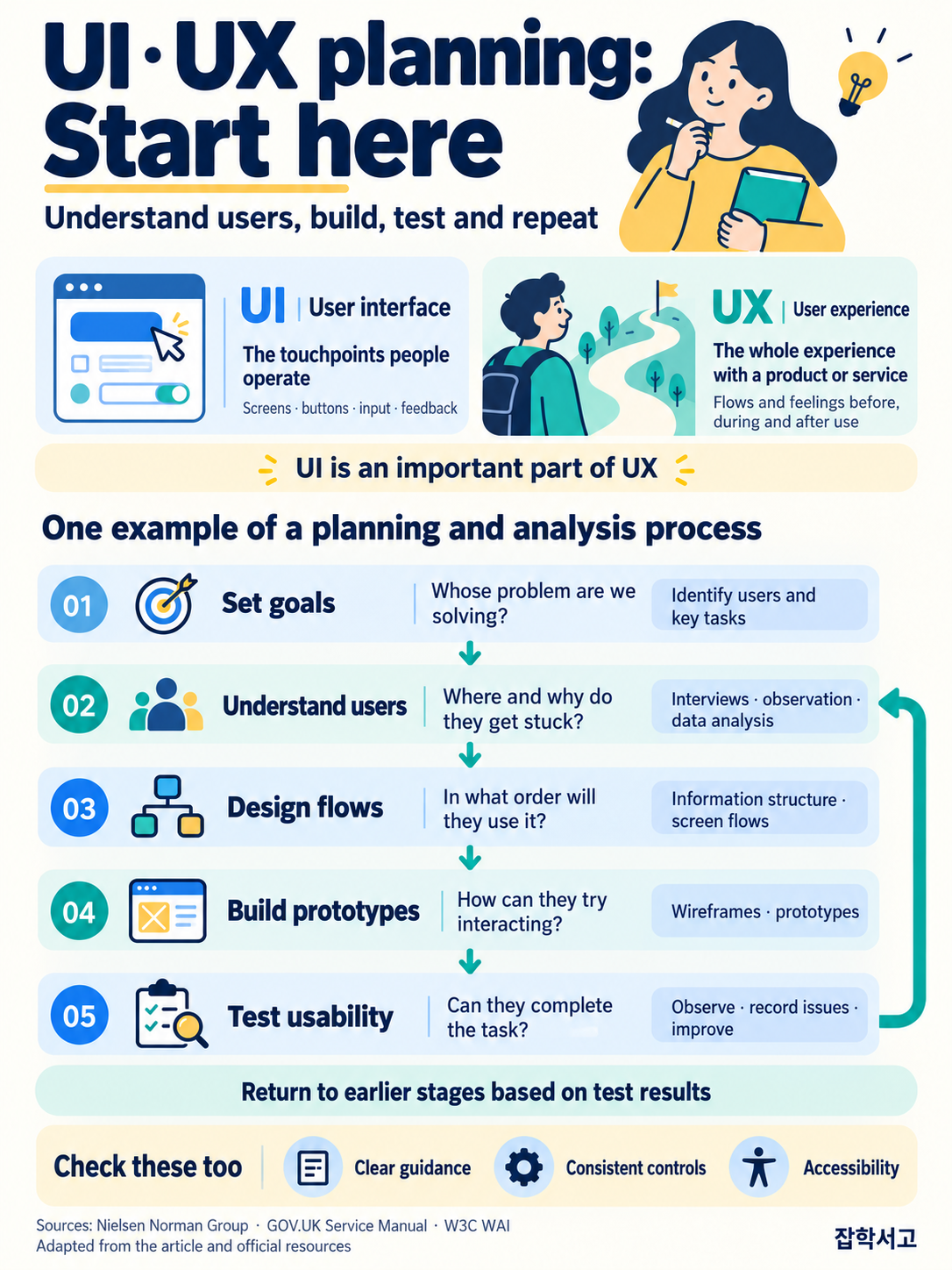
 UI/UX both share the goal of providing users with a better experience.
UI(User Interface) and UX(User Experience) are core concepts in user-centered design for digital products or services. These terms are used to understand and improve how users interact with a product or service and what that experience is like.
UI(User Interface)
UI refers to the interface users use to interact with a product or service. This includes screen layouts, buttons, icons, colors, fonts, and other elements that help users use the product or service conveniently and intuitively.
The purpose of UI is to provide users with a noticeable, easy-to-understand interface that allows them to easily use the features of a product or service.
UX(User Experience)
UX refers to the overall experience and satisfaction users feel when using a product or service. UX focuses on meeting users' expectations and goals and is designed to enable users to use the product or service easily and comfortably.
The purpose of UX is to understand users' needs and expectations and provide user-centered design that meets them.
The Relationship Between UI and UX
UI and UX are closely related and often work together to provide users with a better product or service experience. Good UI design provides users with an intuitive and convenient interface, while good UX design increases satisfaction with a product or service by meeting users' expectations and goals.
UI/UX design plays an important role in developing and improving digital products or services. UI provides users with effective interaction, while UX contributes to increasing user satisfaction and loyalty.
Therefore, effective UI/UX design is essential to the success of a product or service and helps meet users' expectations and maintain competitiveness in the market.
UI Planning and Analysis Methods
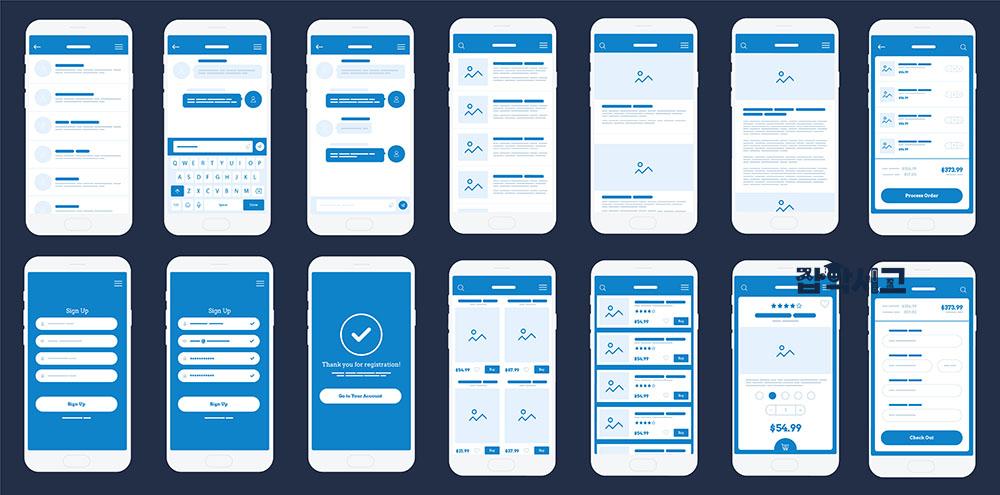 The Appearance of a UI Prototype
UI(User Interface) planning and analysis are carried out to improve and optimize interactions between users and products or services.
This process uses various methods and tools to understand users' needs and expectations, design a user-friendly interface based on that understanding, and evaluate and improve it.
The following presents the main stages of UI planning and analysis in order.
1. User Research
This research is conducted to understand users' needs, behavior, and preferences. Surveys, interviews, persona creation, user flow analysis, and other methods are used to identify users' goals and problems.
2. Competitor Analysis
Comparisons with other products or services in the market are used to identify market trends and benchmarking points. Competitors' app interfaces are analyzed to identify which UI elements are popular with users.
3. Wireframing and Prototyping
Draft designs and interactive models are created to visualize and test design ideas. For example, Sketch or Adobe XD can be used to design an app's basic layout and features and create a prototype to collect user feedback.
4. UI Design
Design elements such as screen layouts, color schemes, icons, and buttons are determined, and design guidelines are created. The app's color scheme and icon design are determined in accordance with the company's brand guidelines.
5. Usability Testing
Tests are conducted to identify problems users may encounter while using the UI and to evaluate usability. Users are given an app prototype, observed for difficulties during use, and asked for feedback.
6. Feedback Collection and Analysis
Feedback is collected from users and analyzed to improve the UI design. Problems identified through user feedback are resolved, and the design is improved to create a more user-friendly UI.
7. Iterative Improvement
The UI design is continually improved based on analysis results and feedback to provide the best possible user experience. The UI is improved based on user feedback and usability testing results, and this process is repeated to increase user satisfaction.
These methods allow UI planners and designers to better understand users' needs and expectations and, based on that understanding, provide users with a more efficient and satisfying interface.
UX Planning and Analysis Methods
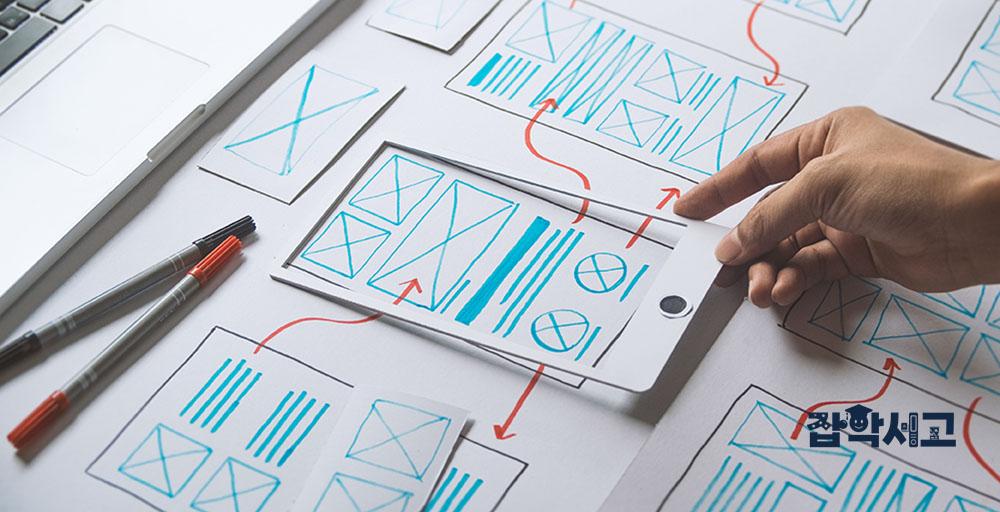 Design navigation paths that satisfy users.
UX(User Experience) planning and analysis are procedures for optimizing the user experience of a product or service. This process evaluates and improves how effectively and satisfyingly the design helps users achieve their goals.
1. User Interviews
Individual interviews are conducted to understand users' requirements, expectations, and problems. Users are interviewed after using a product to hear which aspects they find satisfying and which need improvement.
2. User Personas and User Journey Maps
Representative user types are defined, and the process of user interaction is visualized. For example, the main user types of an online store and the steps they take from visiting the website to completing a purchase are mapped.
3. Prototyping and Usability Testing
Initial design concepts are created, and users' reactions and interactions are evaluated through usability testing. The resulting prototype is given to users, who are observed to determine how easily they can achieve their goals.
4. Contextual Analysis
Users' behavior and interactions are observed and analyzed in real-world environments. Users are observed using the product in a natural environment to identify which aspects feel natural and which feel awkward.
5. Error Analysis
Errors and obstacles that occur while users use a product or service are analyzed. Errors that frequently occur when users attempt to perform a task are analyzed and addressed.
6. Heatmap Analysis
Users' clicks, scrolling, mouse movements, and other actions are analyzed to identify areas of interest and interaction patterns. Analysis identifies which areas of a web page users pay more attention to and which they ignore.
7. A/B Testing
Two different versions are created and compared to determine which provides a better user experience. For example, two different landing page designs are created and analyzed to determine which has a higher conversion rate.
UX planning and analysis have a significant impact on user satisfaction and the success of a product or service. These methods help design products or services around users and continually improve them, ultimately providing a better user experience.
Considerations for UI/UX Design
 What should be considered for successful UI/UX?
UI and UX design are important for providing users with a satisfying and memorable experience. The following are several important points to consider during the UI/UX design process.
A User-Centered Approach
Understand users' needs and expectations and reflect them in the design. Identify users' problems through user interviews and surveys, and provide design solutions that can resolve them.
Simplicity and Clarity
Remove unnecessary elements and focus on important information and features. Use a simple tab menu instead of a complex menu structure so users can easily find the features they need.
Consistency and Predictability
Use the same icons and labels consistently so users can anticipate what to expect. For example, place the 'Back' button in the same location on every page so users can easily understand and use it.
Providing Feedback
Provide immediate feedback on users' actions to let them know what is happening. When a button is clicked, its color changes to indicate to the user that the action was successfully performed.
Responsiveness and Optimization
Optimize the design for various devices and screen sizes. Use responsive web design to ensure it works well on mobile devices, tablets, and desktops.
Visual Hierarchy and Focus
Give important information and buttons visual emphasis to attract users' attention. Make primary action buttons stand out and display important information in large, bold text.
Color and Typography
Express the brand's identity through colors and fonts, and improve readability. Use appropriate color contrast to make text stand out against its background, and adjust font sizes and styles to make it easy to read.
Testing and Iteration
Analyze users' reactions through usability testing and improve the design. Use A/B testing to compare and analyze which of two different design versions provides a better user experience.
Learning and Updating
Learn about the latest design trends and technologies to improve design skills and keep them up to date. Learn about the latest design trends and tools through online courses or workshops.
Considering Accessibility
Check the design's accessibility and make it easy for all users to use. Test the website's accessibility using a screen reader, and provide text as HTML text rather than images so screen reader users can read it easily.
By considering these points, you can understand and apply effective methods for UI/UX design. Through continuous learning and testing, you will be able to increase user satisfaction and achieve success for the product or service.
UI/UX design forms a strong link between user satisfaction and the success of a product or service.
Planning and analysis for effective UI/UX design are essential for building a user-friendly interface for a product or service and meeting users' expectations and needs.
As digital technology advances rapidly, businesses and developers continue their efforts to provide users with better experiences and secure a competitive advantage in the market by adopting a user-centered approach to design.
These efforts take concrete shape through the planning and analysis process for UI/UX design, and this process will contribute to improving the quality of products or services and increasing user satisfaction.