When you watch a weather forecast, the weather presenter stands in front of a big map and points out which way the clouds are moving. But in the actual studio, what stands behind that person is not a map but a plain green wall with no pattern at all. The technique of picking out one particular color, erasing it, and filling the space with other footage is ‘Chroma Key.’
Put simply, chroma key means ‘a video compositing technique that makes one color on screen transparent so that it can be layered over another background.’ Chroma refers to the quality of a color, and key refers to the work of cutting out part of the image. Depending on the background color, it is also called green screen or blue screen, and it is widely used in news, film, and even game streaming.
In this piece, we will look in turn at how chroma key works, its history from blue screens to green screens, the reasons behind the choice of background colors, and shooting tips for clean composites.
Video Compositing That Changes the World with a Single Color
How Does Chroma Key Work?

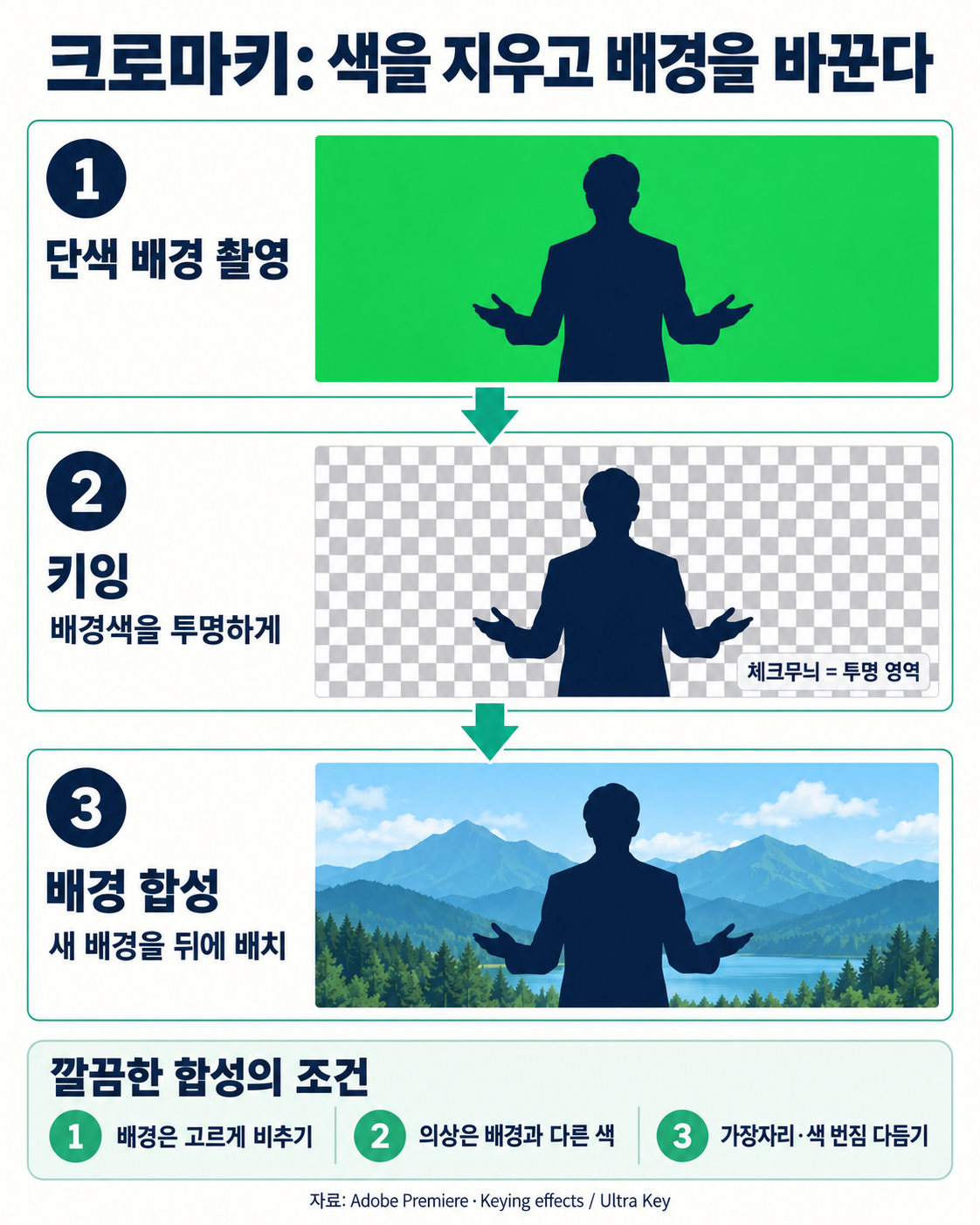
Chroma key compositing is done in three steps. The key is to choose a color that appears only in the background and not on the person.
(1) Shooting in front of a single-color background
The person or object is placed in front of an evenly painted green or blue background and filmed. The more uniform the background color is across the whole frame, the better.
(2) Keying
Editing equipment or software compares each point on the screen with the chosen color, making the parts that match the background color transparent and leaving the person as is. Partly covered areas such as the tips of hair are made semi-transparent. The transparency information created this way is called a ‘Matte.’
(3) Background compositing
When separately filmed scenery or computer graphics are laid into the transparent area, the person looks as if they had been there all along. In live broadcasts, this process happens in real time.
From Black Cloth to Blue Cloth, and Then to Green Cloth

Attempts to swap out the background are as old as the history of film itself.
(1) Black backgrounds and double exposure
In 1898, George Albert Smith of Britain used double exposure, filming a scene shot against black cloth on top of another scene. The method took advantage of the fact that black areas leave no image on the film.
(2) The arrival of the blue screen
A method using a blue background was developed at the American film studio RKO in the 1930s, and in the 1940 film The Thief of Bagdad, Larry Butler used a full-fledged blue screen technique for the scene in which the genie escapes from a bottle. The film won that year’s Academy Award for Special Effects.
(3) Television and the green screen
The name ‘Chroma Key’ was originally a trademark that the American company RCA used for NBC broadcasts, and it was used early on in The George Gobel Show in the fall of 1957. Petro Vlahos later refined compositing techniques and received an Academy Award in 1964, and from the early 1970s, American and British broadcasters began using green backgrounds instead of blue.
Why Green and Blue, of All Colors?
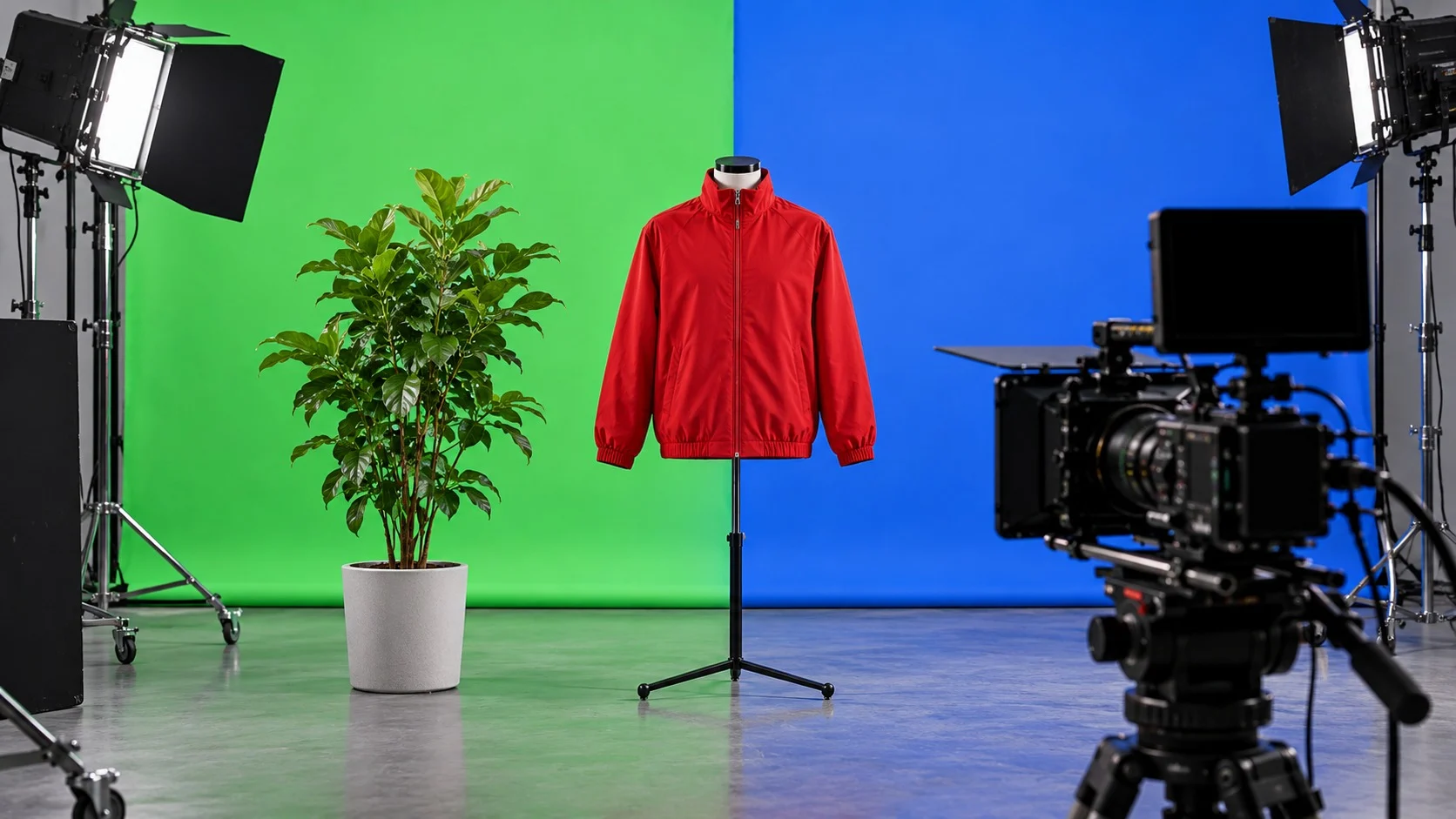
The first criterion for choosing a background color is that it must be the color farthest from human skin tones. Because skin has a lot of red in it, red is not used, and green and blue are the usual choices.
(1) Why green is used so often
Green clothing is rarer than blue clothing, so there is less risk of a performer’s clothes being erased along with the background. In fact, there is a story that broadcasters switched to green because of weather presenters who liked to wear blue suits. Also, digital camera sensors have twice as many pixels that take in green as those for red or blue, so the green signal is recorded more cleanly.
(2) When blue is still needed
When the subject has a lot of green, a blue background is used. In the 2002 film Spider-Man, Spider-Man in his red and blue suit had to be filmed in front of a green screen, while the Green Goblin, dressed all in green, had to be filmed separately in front of a blue screen. Blue also came first in the film era because it was easy to make film that reacted only to blue light.
Shooting Tips for Clean Composites
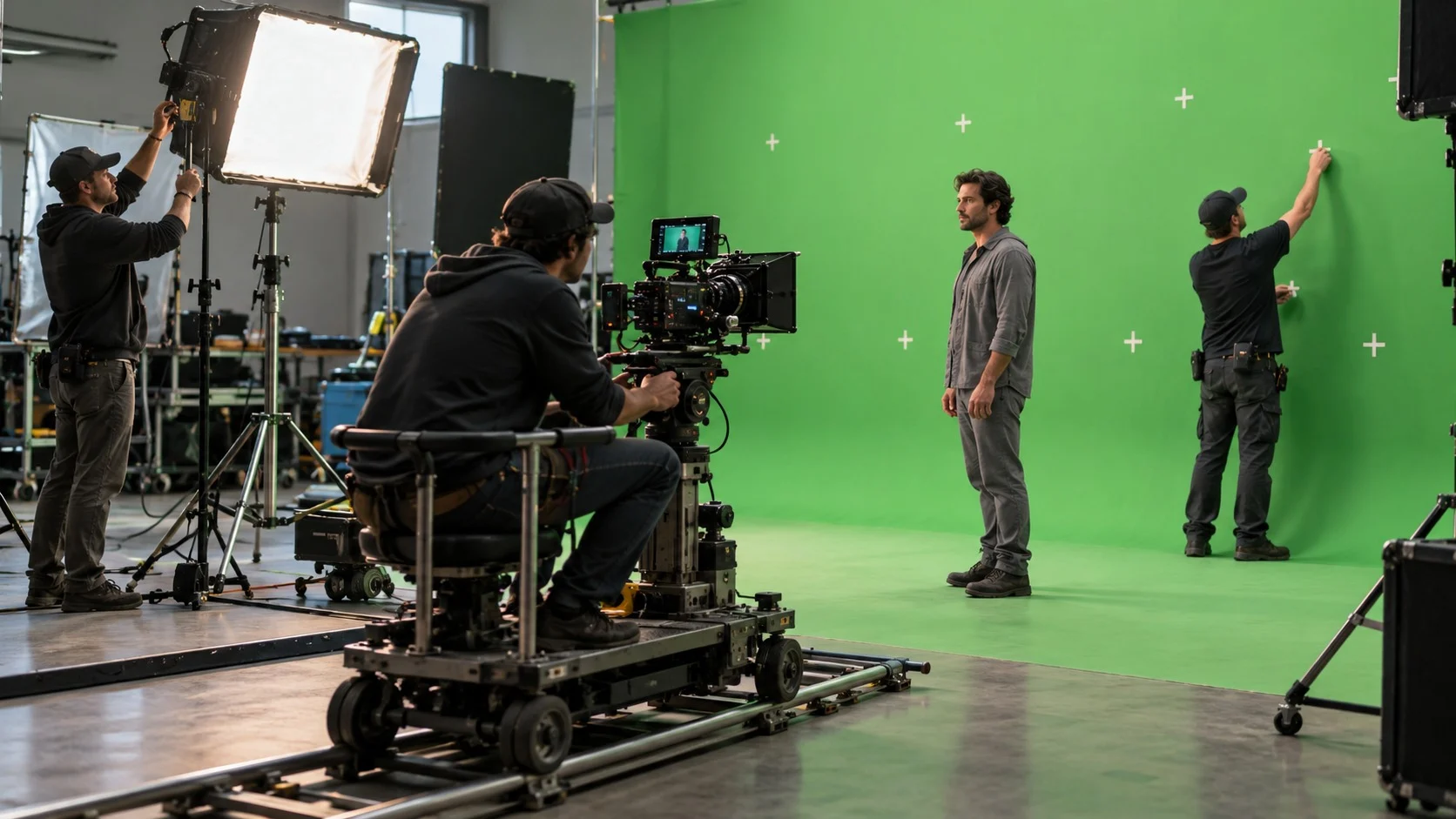
The quality of chroma key is decided on set before it is decided in editing. If the background is uneven or there are colors that overlap with the person, even the best software will have a hard time separating them cleanly.
- Even Lighting: If shadows or wrinkles form on the background, those areas change color and do not get erased. Use matte cloth with little reflection and light the whole background evenly.
- Spill: When light reflected from the green background tints a person’s hair or shoulders, the edges look awkward. Standing the person far enough from the background reduces spill.
- Wardrobe: Avoid clothing or props in the same color as the background. Conversely, green cloth is sometimes draped on purpose to make part of the body disappear, as in an invisibility cloak effect.
- Tracking Markers: In scenes where the camera moves, X-shaped tape marks are stuck on the background so that a computer can later calculate the camera’s movement and move the background along with it.
- Lighting Match: The direction and color of the light falling on the person must match the light in the background to be added later for the composite to look natural.
Chroma key started from the simple idea of erasing a single color and has become a core technology of video production, letting people travel to deserts, outer space, and even imaginary cities without leaving the studio. Recently, virtual production, in which backgrounds are displayed directly on giant LED walls during filming, has been growing, but the green screen, which costs little and is easy to use anywhere, still holds its ground everywhere from personal streams to blockbuster films.
Clearly distinguishing the color you want to erase from the colors you want to keep: that is the first step in video studies toward making natural composite footage.