
You have probably tried to tap a small close button on your phone screen and ended up tapping an unintended ad. By contrast, the large payment button at the bottom of the screen is easy to tap even without looking at it. Even with the same finger, some buttons are easy to tap, while others are unusually difficult.
In design and ergonomics, this difference is explained by Fitts's Law. Published in 1954 by the American psychologist Paul M. Fitts, this law states that the time it takes to point to a target is determined by the distance to the target and its size.
This material provides an accessible overview of the meaning and origins of Fitts's Law, the elements that make up the law, how it is applied in screen design, and its limitations and points to keep in mind.
Understanding and Applying Fitts's Law
What Is Fitts's Law?
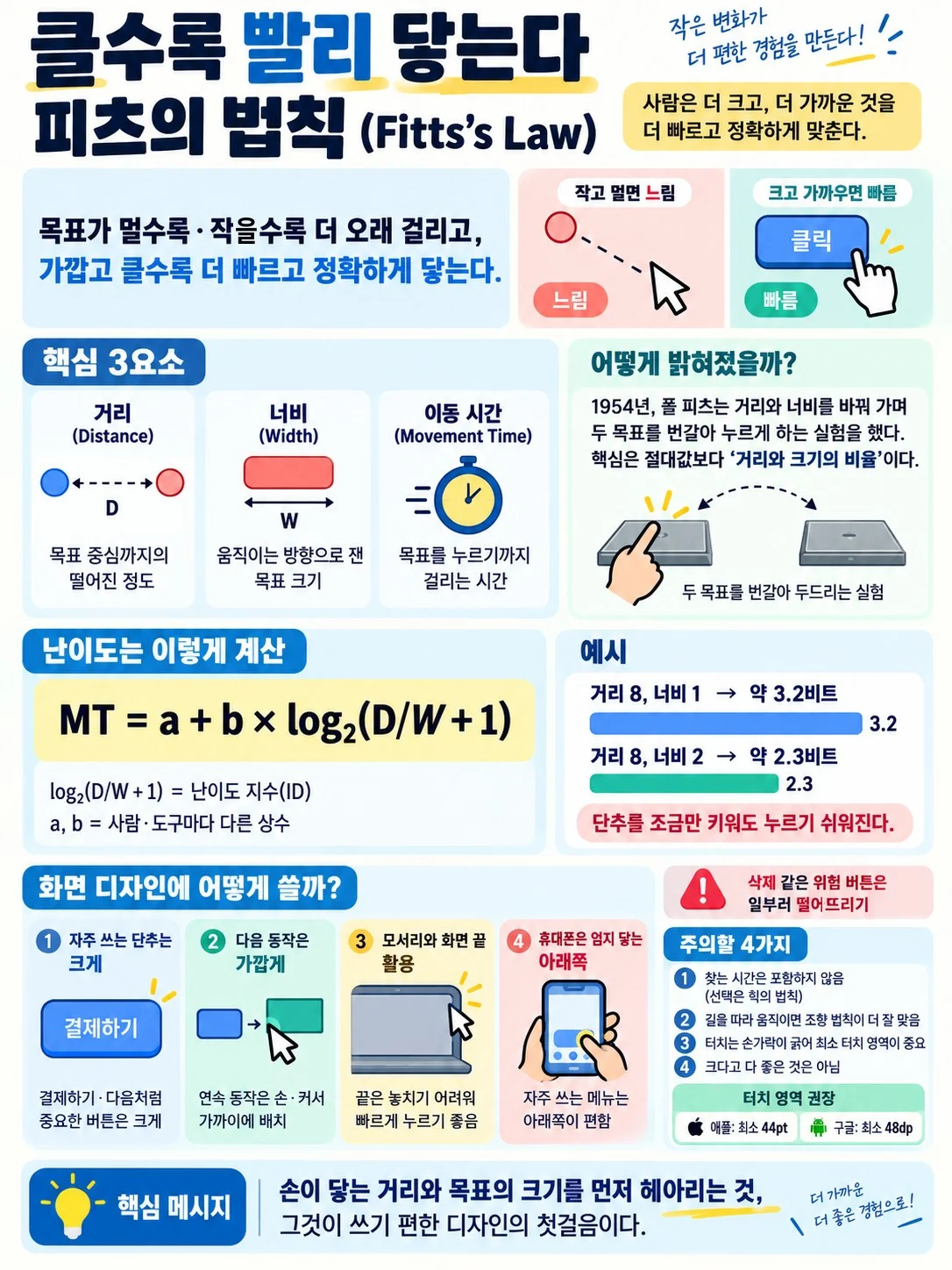
Fitts's Law states that when a person points to a target with a hand or a tool, it takes longer when the target is farther away and smaller. Conversely, the closer and larger the target is, the more quickly and accurately it can be reached.
- Distance: How far it is from the starting point to the center of the target. The farther away the target is, the longer the movement.
- Width: The size of the target measured in the direction of movement. The wider it is, the easier it is to stop accurately.
- Movement Time: The time from the start of a movement until the target is reached.
Fitts was a researcher who studied the arrangement of cockpit instruments and controls at a U.S. Air Force laboratory around the time of World War 2. Reducing accidents in which pilots touched the wrong switch in urgent situations required a numerical understanding of human movement. In an experiment in 1954, he had participants rapidly tap two metal plates alternately with a rod, measuring the time while varying the distance between the plates and their width.
He found that when distance and width increased together in the same proportion, the time required remained almost unchanged. What mattered was the ratio between distance and size, rather than either on its own. Later studies found similar relationships in movements involving fingers, feet, and mice, as well as in precise work performed under a microscope.
The Elements of Fitts's Law

Fitts expressed this relationship in a single equation. His original equation was MT = a + b × log₂(2D/W), and the form commonly used today is MT = a + b × log₂(D/W + 1). Here, MT is movement time, D is distance, and W is width.
(1) Index of Difficulty
This is the log₂(D/W + 1) part, which indicates how difficult it is to point to the target. The difficulty increases when the distance doubles or the width is halved.
(2) Constants a and b
These values vary depending on the person and the tool and are determined through experiments. Mice, touchscreens, and joysticks have different values.
(3) Logarithmic Relationship
Movement time increases logarithmically, rather than in direct proportion to distance. Therefore, moving an already distant target a little farther away does not increase the time very much, but making a small target even smaller quickly makes the task difficult. For example, if the distance is 8 and the width is 1, the difficulty is log₂9, or approximately 3.2 bits. Increasing the width to 2 at the same distance lowers it to log₂5, or approximately 2.3 bits. This means that making a button just a little larger can make it noticeably easier to press.
Around 1990, the Canadian computer scientist I. Scott MacKenzie refined the equation slightly based on information theory, and this form is now widely used in studies of computer screens.
Fitts's Law in Screen Design

Fitts's Law began to be used in mouse research in the late 1970s and became a basic principle for designers who create screen interfaces.
The most frequently pressed buttons are made large and placed close to where the hand or cursor rests. This is why key buttons such as Pay or Next are drawn wide.
The corners and edges of the screen are also important locations. Because the cursor cannot move beyond the screen, a target at the edge effectively has unlimited width. A menu bar attached to the very top of the screen or a button in a corner can be reached accurately even with a rough movement of the cursor.
The same principle applies to menus that appear right next to the cursor when you press the right mouse button. Since the targets are close from the start, the distance is almost eliminated.
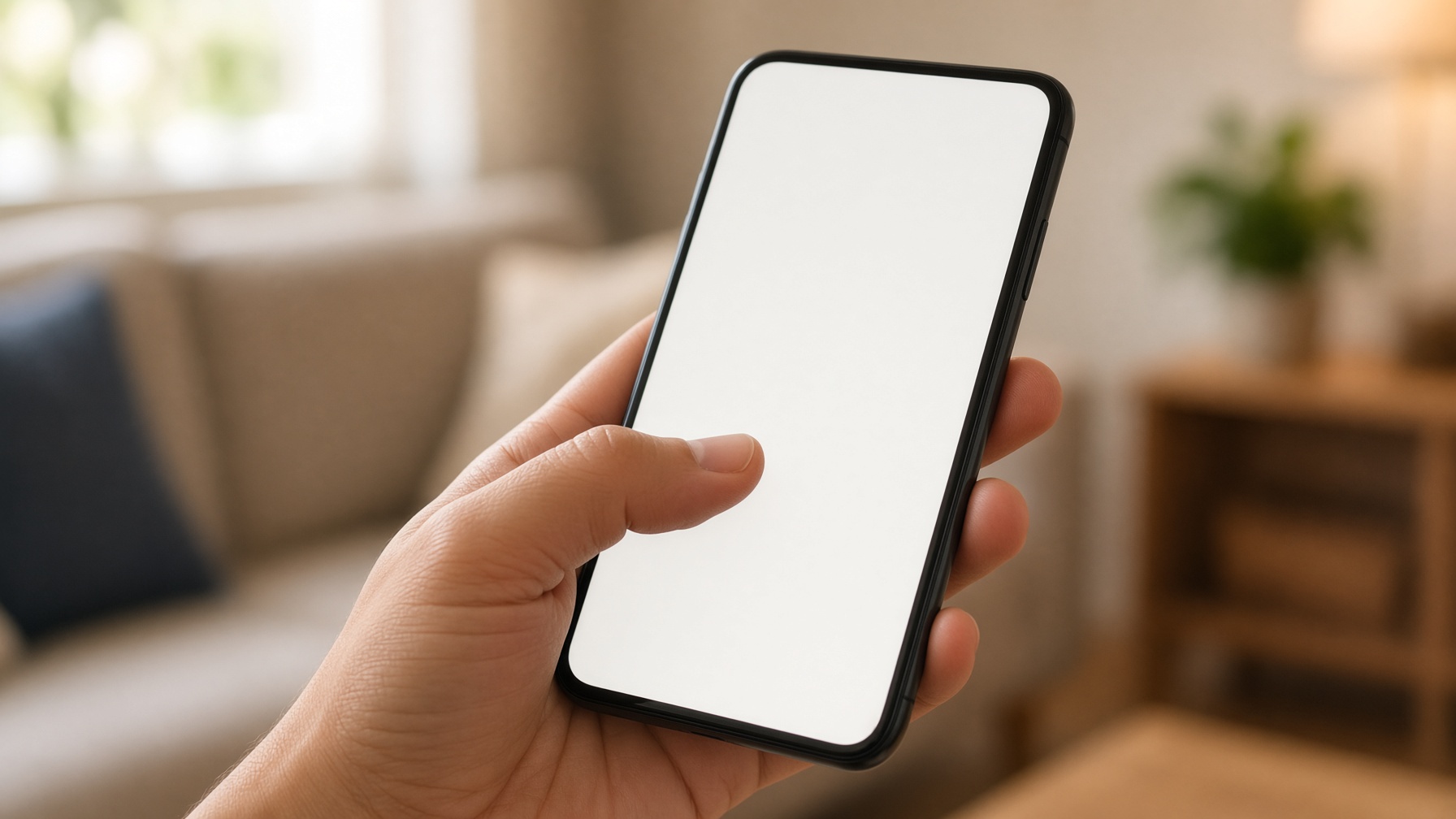
On a phone, the thumb serves as the reference point. Grouping frequently used menus at the bottom of the screen, where the thumb can comfortably reach when holding the phone in one hand, is also a design that applies Fitts's Law.
[Application Tips]
- Large targets: Make frequently used buttons wide and large
- Nearby targets: Place the next action close to where the hand rests
- Edges: Targets at the edges of the screen are difficult to miss
- Create distance: Deliberately place risky buttons, such as Delete, far away
4 Things to Keep in Mind When Using Fitts's Law

Fitts's Law is powerful, but it does not explain everything.
(1) It Does Not Include Search Time
This law only addresses movement when you already know where to press. The time needed to choose among many options is explained by other principles, such as Hick's Law.
(2) Movements Along a Path Are Different
For movements that must stay within a path, such as moving the cursor along a narrow menu path, the Steering Law formulated by Johnny Accot and Shumin Zhai in 1997 is a better fit.
(3) Fingers Are Wider Than a Cursor
On a touchscreen, the finger obscures the target and also has a large contact area. Therefore, Apple recommends a touch area of at least 44 points, and Google recommends at least 48dp.
(4) Bigger Is Not Always Better
Making every button larger clutters the screen and causes the truly important buttons to get lost. You must first decide what should be easy to press and what should require care.
Ultimately, Fitts's Law shows that design must begin with the limitations of the human body and hands. A good screen lets the user's hand find its way first, without the user having to make an effort.
First considering the distance the hand must reach and the size of the target is the first step toward a design that is easy to use.