
This time, I will review the roles of MPEG standard families related to video, then explore the difference between codecs and file containers.
MPEG emerged when the need to distribute video made compression essential because of large file sizes, and the Moving Picture Experts Group (MEPG) came together to develop compression technology. MPEG standard families include MPEG-1, MPEG-2, MPEG-4, MPEG-7, and MPEG-21. They cover different areas, including audio/video coding, content description and search, and multimedia frameworks. I will now briefly explain their roles.
MPEG 1
 CDs, the medium in which MPEG-1 was primarily used
MPEG1 was the first standard compression technology for video and audio and was used to store video on media such as CDs. MPEG1 has a maximum transmission rate of approximately 1.5Mbps and a maximum resolution of 352x288, so it is far removed from today's technology.
Just as we know that ENIAC was the first computer, it should be enough to know that this was the first video compression method.
MPEG 2 (★)
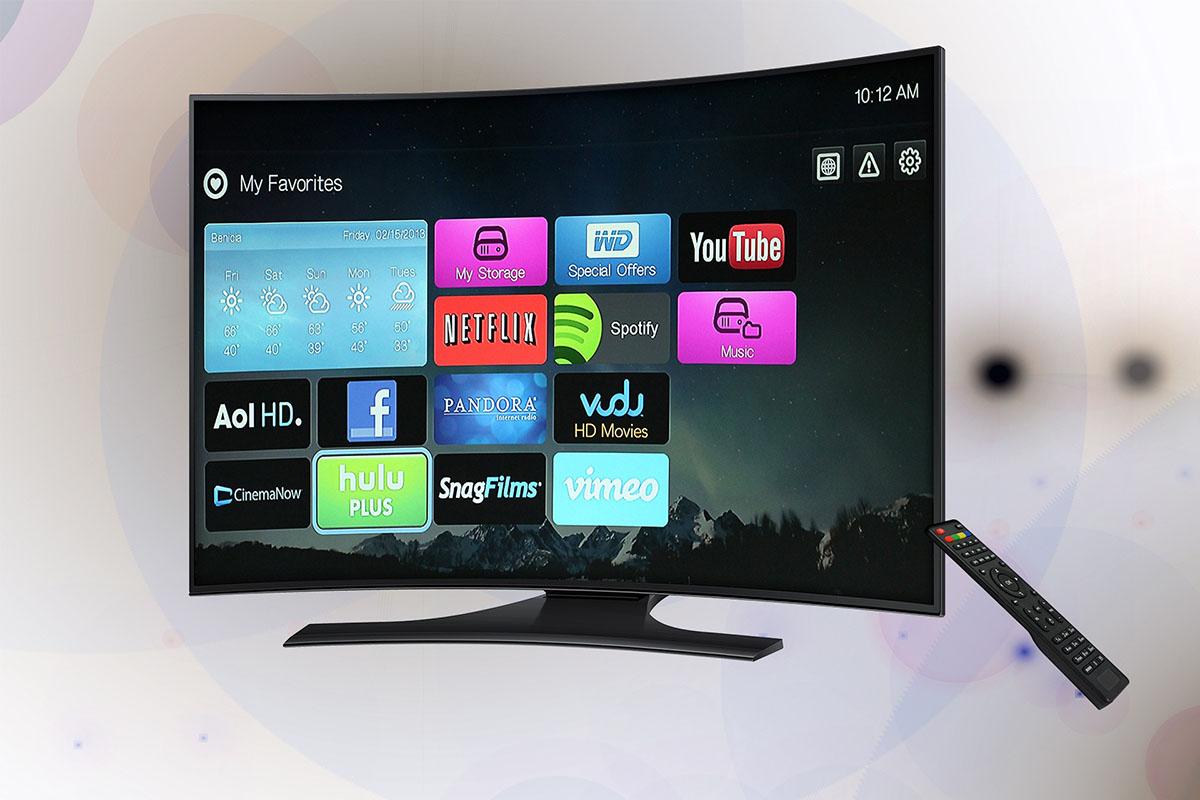 Digital broadcasting, which developed significantly alongside MPEG2
MPEG2 is a lossy compression technology used to compress video for digital broadcasting and DVDs. Although it is an old technology, it offers transmission speeds of 4~100Mbps, is still used in digital broadcasting and other applications, and can achieve resolutions up to Full HD. However, with the arrival of UHD broadcasting and increasing demand and supply for higher-quality video, the position of MPEG 2 will gradually weaken.
MP 3
 MP3, which people can easily misunderstand - audio files
MP3 refers to a technology for compressing audio data such as music, but there is something here that people can easily misunderstand. It is that MP3 refers to Layer 3 of MPEG1, rather than MPEG3.
For people who enjoy listening to music, this format is so familiar that it can actually be even easier to make this mistake. In other words, MP3 is part of MPEG 1 and is a technology that has been in use for a long time; the term emerged in 1995 when the audio portion was separated out.
MPEG 4 (★)
 YouTube as an example of an online video service
MPEG4 is a family of multimedia standards with multiple parts. MP4 is the file container format specified in Part 14, while H.264/AVC is the video-coding standard in Part 10. The MPEG-4 family should therefore not be treated as synonymous with the MP4 file extension or a single compression method.
An MP4 file can hold different types of data, including video and audio. For example, it can contain H.264-encoded video and AAC-encoded audio together, but the file extension alone does not identify the codecs inside.
MPEG 7
 MPEG-7, developed for information retrieval
MPEG7 is a family of standards for describing and searching audio, visual, and multimedia content. It provides structured ways to describe features such as visual and acoustic characteristics, helping with content retrieval and management.
It is useful in digital libraries that handle vast amounts of information, multimedia service guides, broadcasting station archives, and geographic information systems such as NAVER Maps.
MPEG 21
 An illustration of e-commerce
MPEG21 is a family of standards defining an open framework for multimedia content creation, delivery, and consumption. It includes elements such as Digital Item identification and rights expression to support content use across different environments. Its scope is broader than e-commerce or on-screen clicking and input.
Summary of MPEG Standard Roles
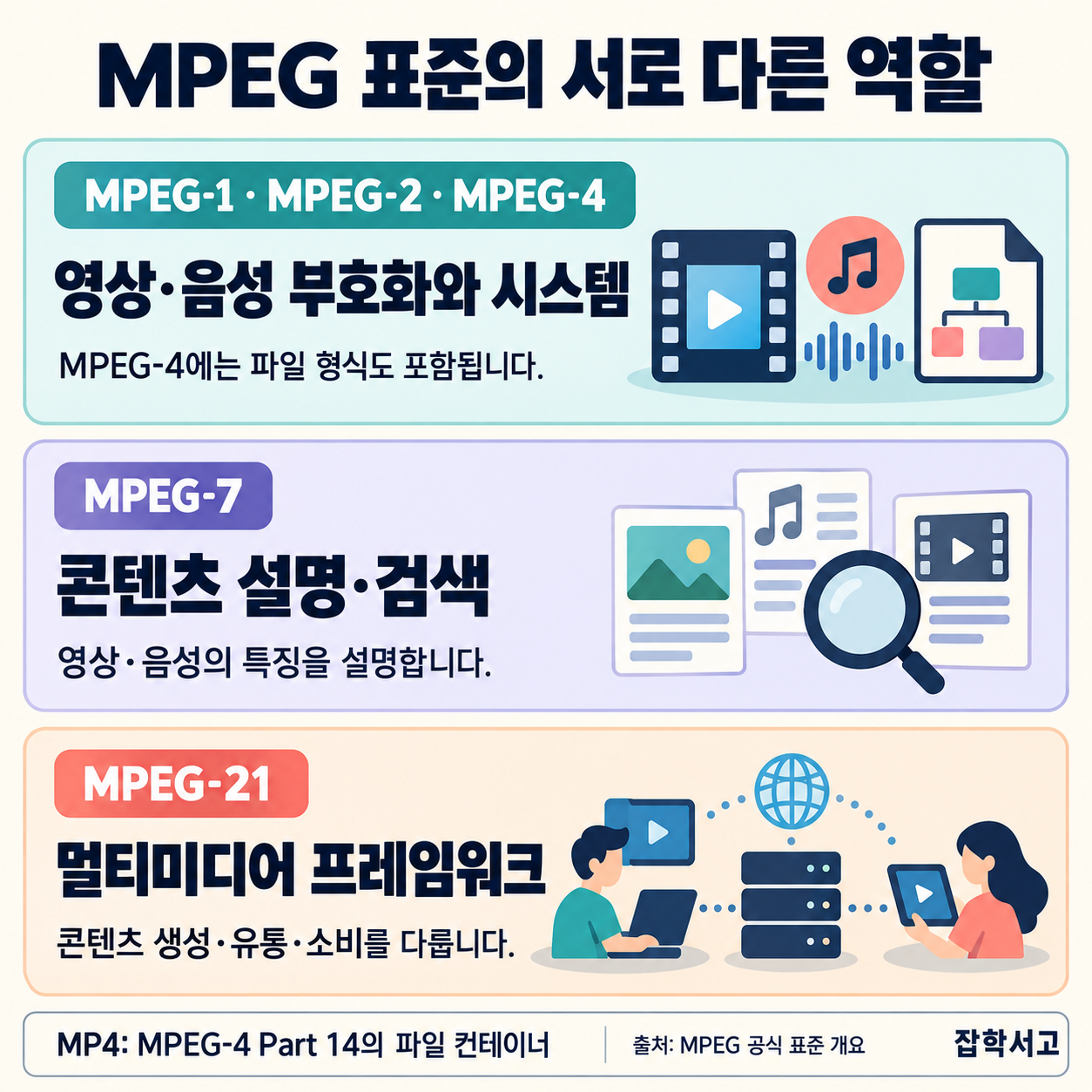 Different roles of MPEG standard families
The image above summarizes the different roles of MPEG standard families. MPEG-1, MPEG-2, and MPEG-4 include audio/video coding standards; MPEG-7 addresses content description and search; and MPEG-21 provides a multimedia framework. MP3 is an audio-coding format, whereas MP4 is a file container, so they should not be grouped as the same kind of compression technology.
What Is a Codec?
Once you understand video compression technology, I would also like to explore the concepts and types of video codecs. A codec is software that can encode or decode a data signal, and the term Codec was created by combining the beginnings of Coder and Decoder, the terms used here.
Distinguishing Codecs and Containers
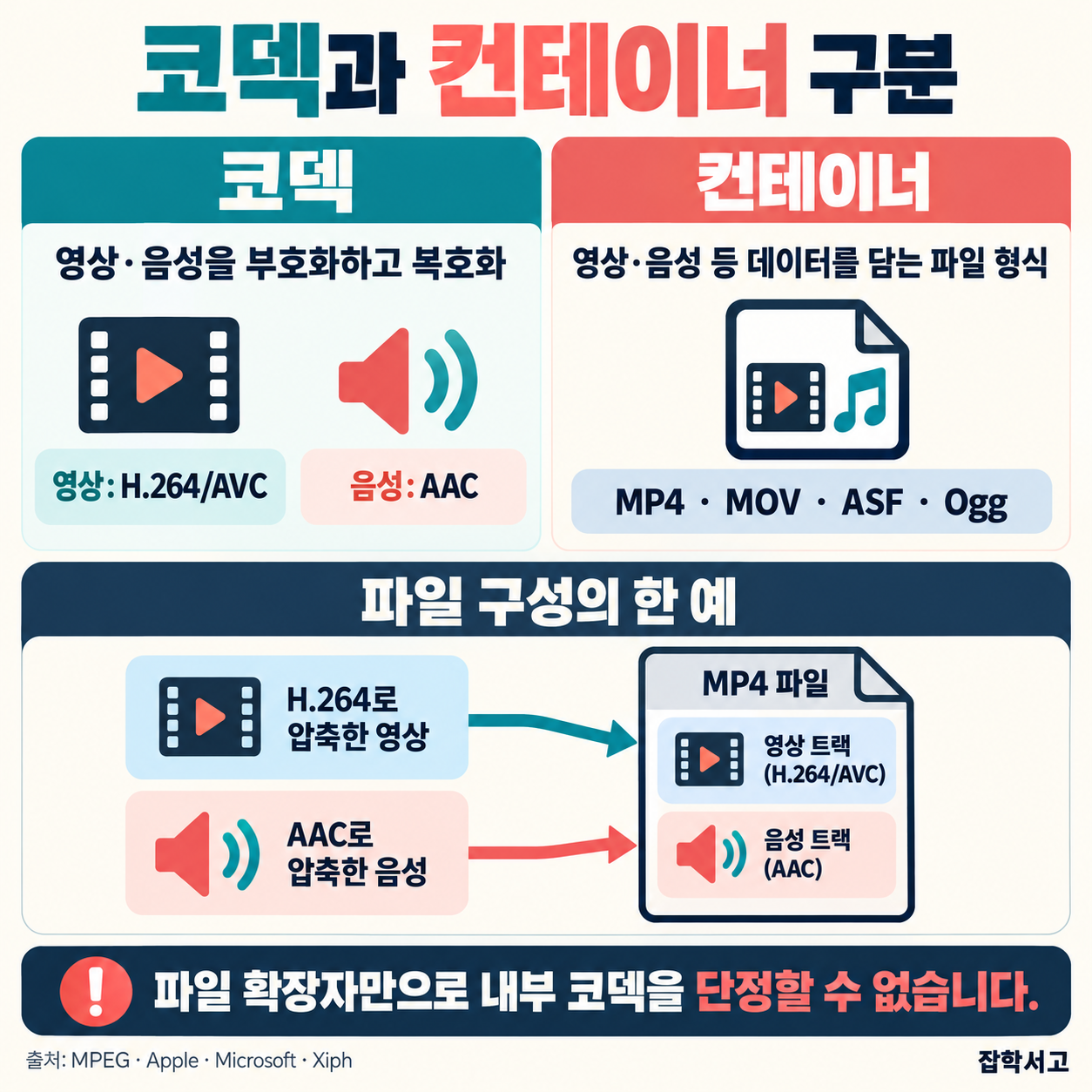 The difference between codecs and file containers
Codecs encode or decode video and audio data. H.264/AVC is an example of a video codec, and AAC is an audio codec. MP4, MOV, ASF, and Ogg are container formats that hold media data. A codec pack bundles multiple codecs so that they can be installed together.
The diagram shows H.264 video and AAC audio packaged in MP4 as one possible combination. Containers and codecs should be considered separately, and files using the same container format can contain different codecs.
 Video Codec Concepts
What characteristics do the codecs mentioned earlier and the MOV container have?
Having reviewed the roles of MPEG standard families, I will briefly describe a few codecs and the MOV container below.
Characteristics of Selected Codecs and a Container
H.264 - This codec offers highly efficient compression and is extremely popular among video creators. Although it uses lossy compression, it maintains excellent image quality while greatly reducing video size, so it is particularly widely used for distributing high-quality video on the web.
H.265 - Also called HEVC (High Efficiency Video Coding), it is an upgraded version of H.264. Its compression efficiency is at least 2 times that of H.264, and it was designed to support recently introduced UHD video at 4K and above.
MOV - This format was developed by Apple, known for the iPhone and Mac computers, and is a container format that can hold video and audio data encoded with various codecs. It is used more by professionals than by the general public and is also called Quick time Movie. One reason it is especially popular among professionals is its support for alpha values, which allows it to be used with transparent backgrounds for compositing with other videos. It also supports lossless compression despite its large file sizes, so it can be described as a format with a very wide range of uses.
WMV / WMA - It is a video/audio format created by Microsoft, which is known as the maker of Windows. The filename is also an abbreviation of Windows media Video / Windows media audio. It is provided by default in the Windows environment, and its high compression ratio and high rate of image-quality loss mean it is primarily used casually by the general public rather than by professionals.
DivX - This codec, called Dibikseu in Korean, is a video codec independently developed by Dvix, a company with the same name as the file extension, and can compress long videos into small files with high image quality. Because of these characteristics, it is widely used to compress videos with a long Dulation (duration), such as movies.
Xvid - Also called Jebideu in Korean, it is a competing video codec modeled after the DviX codec. Unlike DviX, it is open software that anyone can use for free, but because it was not developed using its own patents, it has legal limitations in areas such as distribution. Since it follows the MPEG4 standard and supports MPEG-4 ASP features, it does not fall far behind in terms of functionality.
AAC - This is an audio codec that can also be called MPEG-4 Audio. Compared with MP3 (MPEG-1 Layer3), a popular audio codec, it offers superior sound quality and a higher compression ratio, but has the drawback of taking a long time to encode. It is currently used mainly in Apple devices (iPhones, iPods, and so on).
This concludes our look at video compression technology and codecs. Codecs are a key technology for storing and transmitting video efficiently, and because the choice of codec affects various aspects such as video quality, file size (storage space), and compatibility, you should understand their characteristics and choose according to the purpose you need them for.