
Video technology has advanced noticeably over time, and screen scanning (Scanning) technology in particular has greatly improved video resolution and quality.
Screen scanning refers to how video is displayed on a screen, and it directly affects the sharpness and smoothness of the video.
Interlaced scanning (Interlace Scan) and progressive scanning (Progressive Scan) are the two main forms of screen scanning, each with its own advantages, disadvantages, and use cases.
This article aims to explain the basic concept of screen scanning and the two main screen scanning methods. In particular, when configuring video recording and editing settings, you will see labels such as 1080i and 1080p, and this article will help you understand what they mean.
What Is Screen Scanning?
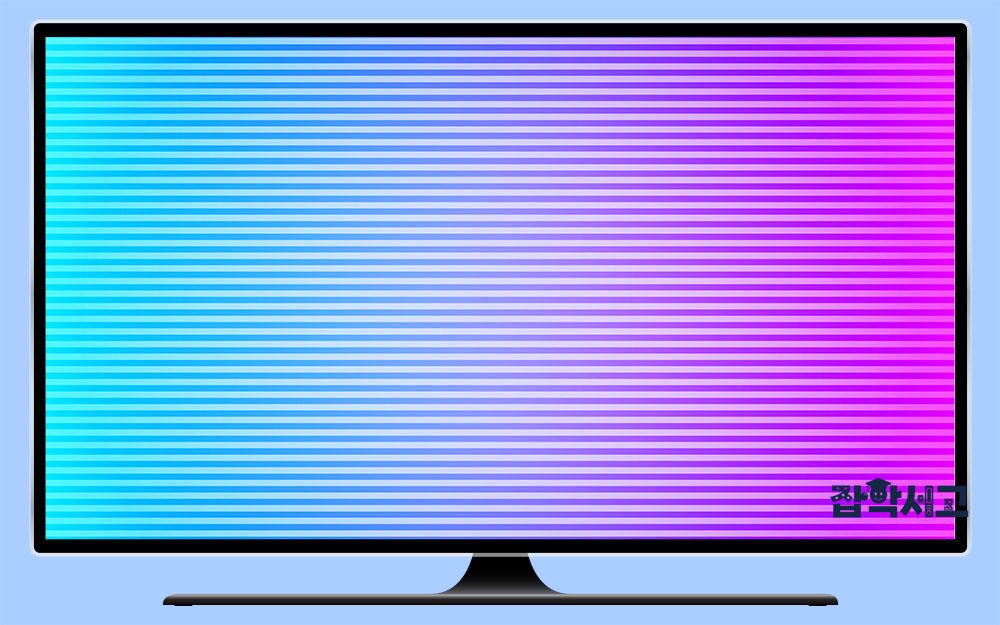 There is interlaced scanning, which displays images in a grid pattern, as well as progressive scanning, which displays images sequentially.
Screen scanning is a technology that describes how video is displayed on a screen. In general, video is created by displaying multiple still images (frames) in rapid succession.
Screen scanning, in turn, determines how these frames are drawn on the screen. There are two main scanning methods: interlaced scanning and progressive scanning.
Each scanning method has its own advantages and disadvantages, and the choice of method depends on factors such as the type of display being used and the intended use of the video.
Interlaced Scanning (interlace scan)
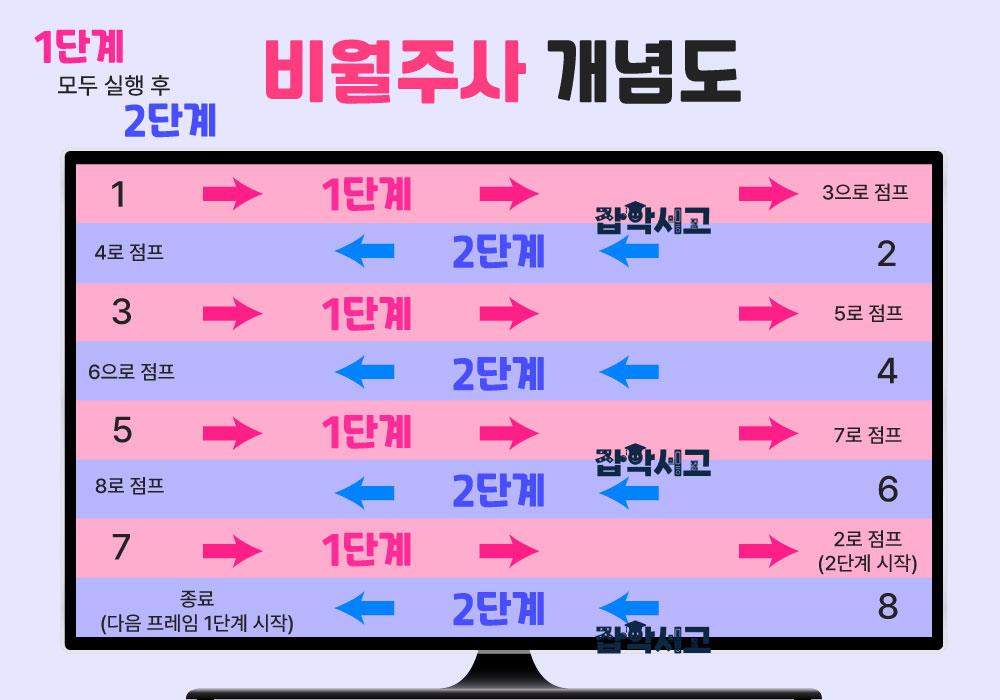 Conceptual Diagram of Interlaced Scanning
Interlaced scanning displays a video image by dividing it into two subfields (sub-fields). One subfield displays the odd-numbered lines of the screen, and the other displays the even-numbered lines.
These two subfields are displayed alternately in rapid succession, so users perceive a complete image. In the image above, different arrows are used to make the odd-numbered and even-numbered lines easy to distinguish.
How It Works
First Stage: Only the odd-numbered lines of the screen are drawn (e.g., lines 1, 3, 5, 7 ...).
Second Stage: After the odd-numbered lines are drawn, the even-numbered lines of the screen are drawn (e.g., lines 2, 4, 6, 8 ...).
These two stages are carried out very quickly to complete a frame, and displaying these frames in succession produces continuous video.
Mainly Used in Older TV Broadcasting
Interlaced scanning was used primarily in older CRT (Cathode Ray Tube) TVs. Using interlaced scanning allowed the screen to be drawn more quickly, making the video look smoother, while also reducing the amount of data broadcasters needed to transmit.
Advantages
Reduced Data Transmission Volume: Because interlaced scanning does not draw the entire screen at once, it reduces the amount of data transmitted, which was particularly important with older technology.
Increased Screen Refresh Rate: Because only part of the screen is refreshed quickly, the screen refresh rate increases.
Disadvantages
Screen Jitter: In video with fast movement, the image may shake or flicker.
Reduced Resolution: Because the odd-numbered and even-numbered lines are drawn at different times, sharpness may decrease.
Interlaced scanning is useful for reducing the amount of data transmitted and increasing the screen refresh rate, but it is used less often in modern digital display technology because of problems with reduced resolution and screen jitter.
Progressive Scanning (progressive scan)
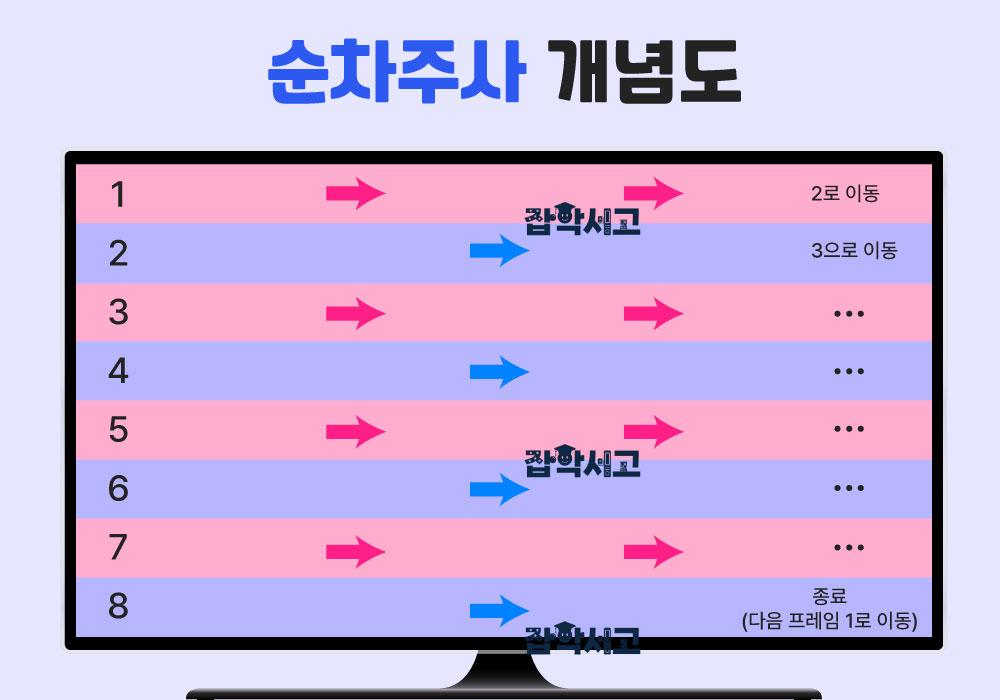 Conceptual Diagram of Progressive Scanning
Progressive scanning (Progressive Scan) draws a video image one line at a time, in order from the top of the screen to the bottom. This method draws each frame in full and can provide sharp, smooth video without screen jitter or flicker.
How It Works
Single Stage: All lines are drawn sequentially from the top of the screen to the bottom (e.g., lines 1, 2, 3, 4 ...). This stage is repeated for every frame, and each frame includes the entire screen.
Modern Digital TVs and Monitors
Modern digital TVs and monitors primarily use progressive scanning to provide high resolution and smooth video.
Advantages
Sharp Image Quality: Because each frame is drawn in full, the video is sharper.
Smooth Motion: Because the image is displayed smoothly even in scenes with fast movement, users can see video that looks more natural.
No Screen Jitter: Because all lines on the screen are drawn simultaneously, there is no screen jitter or flicker.
Disadvantages
Increased Data Transmission Volume: Because all lines on the screen must be drawn, more data needs to be transmitted than with interlaced scanning.
Requires High-Performance Hardware: Progressive scanning requires greater processing power and more memory, so it needs higher-performance hardware than interlaced scanning.
Progressive scanning is the preferred method in many modern digital display technologies for high resolution and smooth video display.
Despite its high data transmission and processing power requirements, progressive scanning provides excellent video quality and improves users' viewing experience.
Where Are Interlaced and Progressive Scanning Used?
 In What Situations Are Interlaced and Progressive Scanning Used?
Some Broadcasters May Use Interlaced Scanning
Interlaced scanning (Interlaced Scanning) is still used in some broadcasts. This method is considered an efficient transmission method because it reduces the amount of data transmitted and allows more visual information to be displayed without increasing the size of the transmission.
This is because, although streaming is popular, some viewers still prefer broadcast TV, and interlaced scanning helps transmit signals efficiently in such broadcast TV.
Most Digital Environments Use Progressive Scanning
Progressive scanning (Progressive Scanning) is preferred in modern digital TVs and monitors, and because it draws each frame completely at once, the image is sharp and has less jitter. Progressive scanning is a more modern method that transmits all lines at once, greatly reducing screen flicker.
Progressive scanning is the preferred method in many modern digital display technologies for high resolution and smooth video display, but it has the disadvantages of increased data transmission volume and the need for substantial processing power and memory.
On the other hand, interlaced scanning is useful for reducing the amount of data transmitted and increasing the screen refresh rate, but it is used less often in modern digital display technology because of problems with reduced resolution and screen jitter.
Therefore, depending on the circumstances, some broadcasters may still use interlaced scanning, while others may have switched to progressive scanning.
The screen scanning method used for video plays an important role in video quality and the user experience. Interlaced scanning was primarily used in technologies such as older CRT displays, while progressive scanning provides better video quality on modern LCD and LED displays.
Each method has advantages and disadvantages depending on the specific situation and requirements, and choosing the right scanning method depends on the purpose of the video and the display technology. Understanding screen scanning technology therefore enables better video quality and more effective video transmission, ultimately providing a better viewing experience.