
In this article, we will look at domain names, which serve as the addresses of websites, and the different types of domains. Every website has a domain, so we come across them easily in daily life, but I put this material together to explain what each of the names attached to the end of an address means.
To start briefly with the concept of a domain: websites originally use numeric IP addresses, but because these are hard for users to memorize and use, a domain is an address expressed in letters so that it can be remembered and used more conveniently.
Users access a site by typing in this letter-based domain name, but computers have a system that acts as an intermediary, converting the letters back into an IP address through DNS (Domain Name System) so that the user can reach the site.
The Concept of DNS
 The concept of DNS
When a user enters a domain name in a web browser, DNS goes through a resolution process that finds and returns the IP address connected to that domain.
Put simply, it can be called the address book of the internet: a system that converts web addresses that are easy for people to remember into numbers (IP addresses) that computers can understand. Thanks to this invisible process, users can navigate the internet with letters alone, without needing to memorize numbers.
To sum up again, DNS can be seen as an important internet service that acts as an intermediary so that users can access services in a web browser by using domain names.
The Structure of a Domain
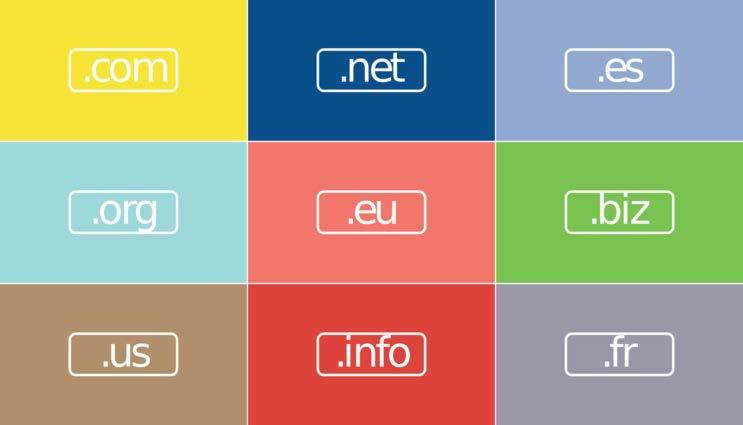 Types of domains
Domain names generally follow a specific order. The name of each service comes first, followed by the type of organization and then the country name. Taking this site, www.gklibrarykor.com, as an example, it can be broken down and interpreted as gklibrarykor (service name) and com (commercial organization). Since www (World Wide Web) does not need to be typed in to access a site, I will skip a detailed explanation of it in this material.
The service name is a unique name chosen by each person who wants to open a site, so no special classification is needed. However, the organization and country names that follow are set by rules, so this material will introduce them in earnest.
Organizational Subdomains
 Organizational subdomains
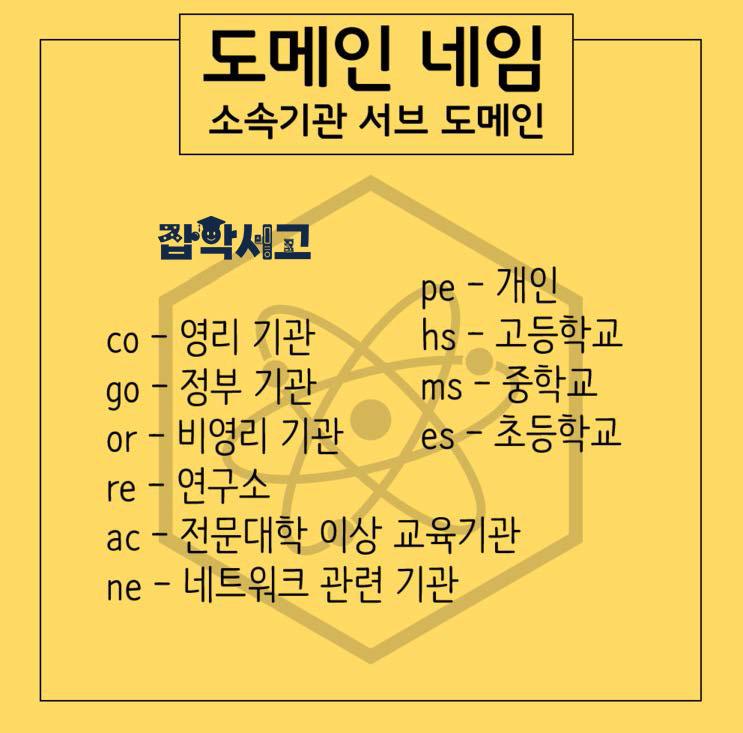
First, the image above shows the subdomain names for each type of organization that come after the service name. co, the one seen most often on ordinary sites, refers to commercial organizations, go refers to government agencies, and or refers to nonprofit organizations.
Schools that educate students also have their own organizational domain names: elementary schools use es, middle schools use ms, high schools use hs, and universities use ac.
Country Code Domains
 Country code domains
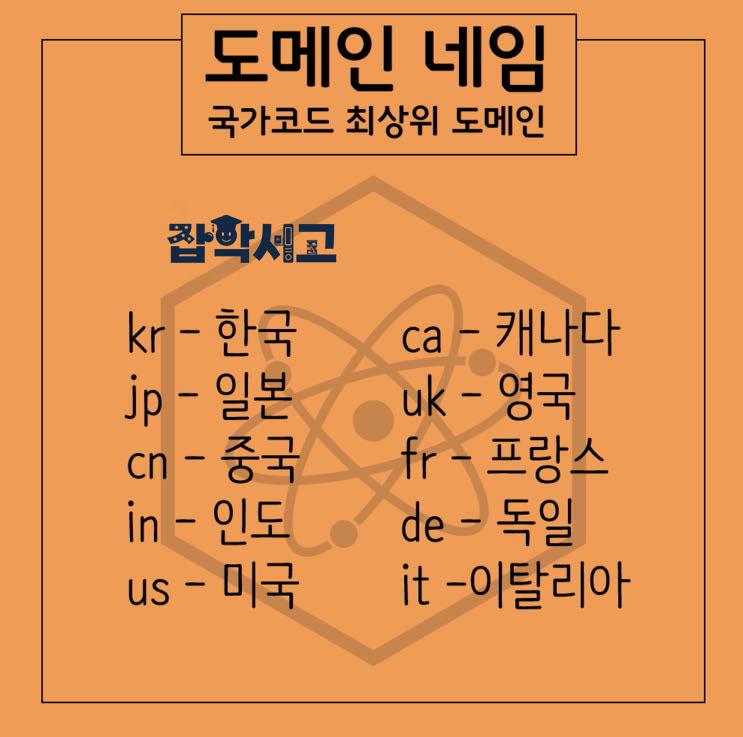
Next, let’s look at the country code domain name, which sits in the last position after the organization name. Korea uses kr, and you have probably often seen domains such as co.kr or go.kr. Other countries likewise use abbreviations of their English country names as domains: Japan uses jp, China uses cn, the United States uses us, and the United Kingdom uses uk.
If you often use overseas sites, knowing these domains will be a useful reference, and if you only use domestic sites, it is fine to know just kr.
Generic Top-Level Domains
 Generic top-level domains
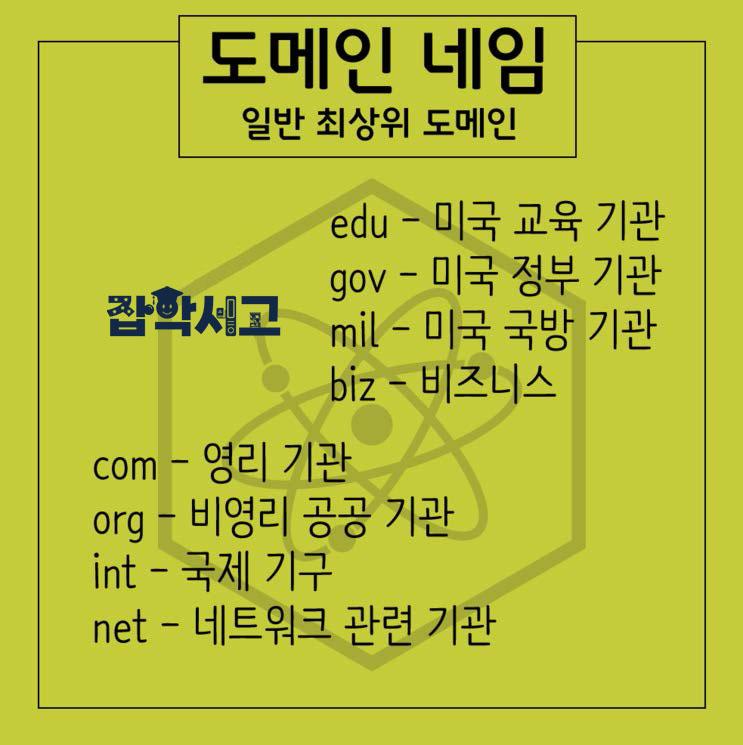
On the other hand, there are also cases where only a single code comes directly after the service name, rather than a combination of two codes like co.kr. Here, too, there is one word you see very often: com. Used as the domain name for commercial organizations, .com is easy to remember, and because so many domains were launched during the .com boom of the past, it is now a saturated address space.
In particular, there is also the problem of certain people buying up and hoarding .com addresses by exploiting the limited number of letter combinations, to the point where it is fair to say that hardly any decent .com addresses remain.
Beyond these, there are also domain names such as org, which public institutions often use, as well as edu, gov, and mil, which are used separately by American institutions.
With that, we have briefly covered the concept and types of domain names used by most websites, along with the concept of DNS, which converts letters into IP addresses. In fact, if you mainly use domestic sites, knowing just a few of the many domain names is enough to use websites or open a homepage without much difficulty.
I believe that knowing the types and concepts of DNS and domain names introduced in this material will make it easier to understand why a particular site uses the address it does. If you don’t know, you might simply pass it by, but once you understand it, you may find yourself taking one more look at the URL bar at the top before moving on.