
An API (application programming interface) is an interface that software applications use to interact with one another. These interfaces connect data, functions, and services to other applications so that they can exchange data with each other.
In this article, we will look at the concept of an API, examples of Korean services that use APIs, how to obtain and integrate an API key, and how to develop an API.
The Concept of an API
 A concept that connects the code on both sides, through which information is provided.
An API is an interface that allows applications to interact with one another. An API gives other applications a channel through which they can access functions or data.
This allows applications to use each other's functions and share data. There are many kinds of APIs, including web APIs, software APIs, and library APIs.
Examples of Korean Services That Use APIs
An API (Application Programming Interface) can be seen as an intermediary that lets other programs use the functions of a particular program. Web APIs in particular let other web services or apps use the functions of a web service.
In Korea, too, many services use APIs to expand their business or offer a variety of functions. Below are some of the most representative examples of API use in Korea.
Naver APIs
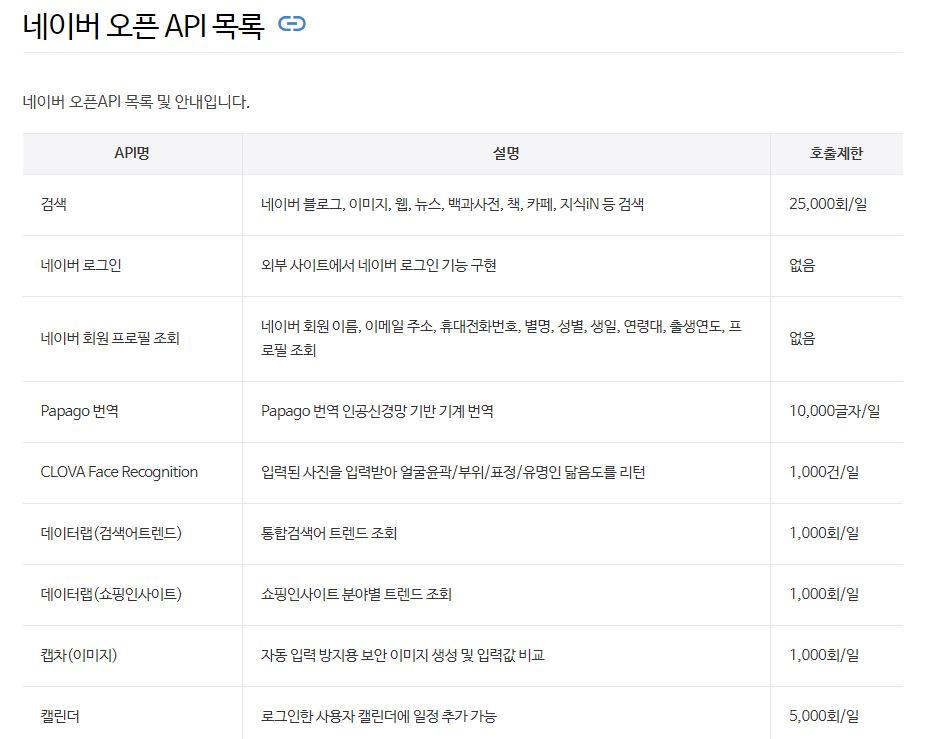 List of Naver Open APIs
Naver Cloud Platform API: Provides various cloud service functions, such as cloud storage and server management, through APIs.
Naver Search API: Lets websites or apps fetch and display Naver search results (blogs, cafes, books, movies, Knowledge iN, and more).
Naver Papago API: An API that lets other services add automatic translation functions.
Kakao APIs
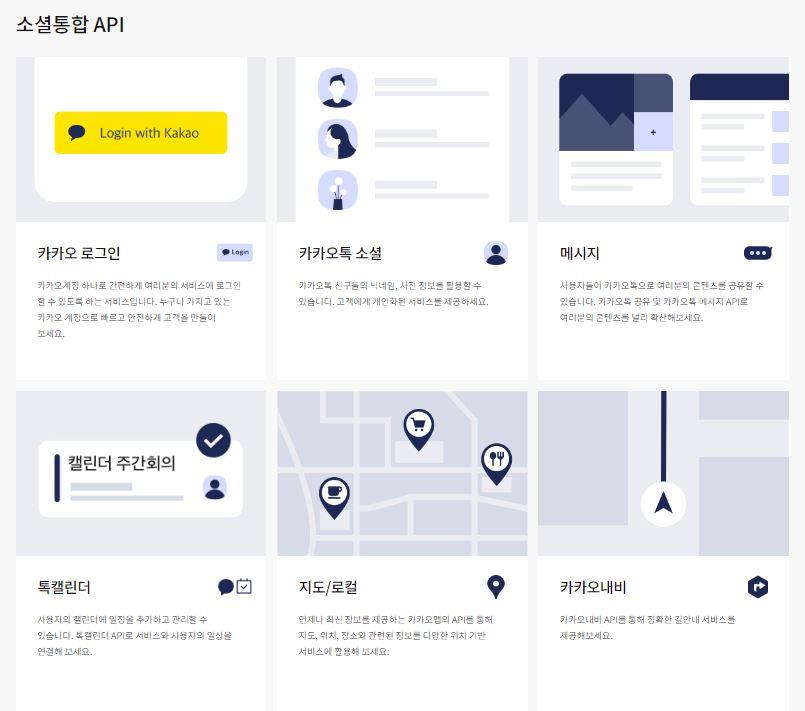 List of Kakao APIs
Kakao Map API: Various apps and web services use the Kakao Map API to provide location-based services.
KakaoPay API: Provides an API that lets online stores easily adopt KakaoPay as a payment method.
KakaoTalk API: Provides functions that let websites or apps send KakaoTalk messages directly.
Public Data Portal API
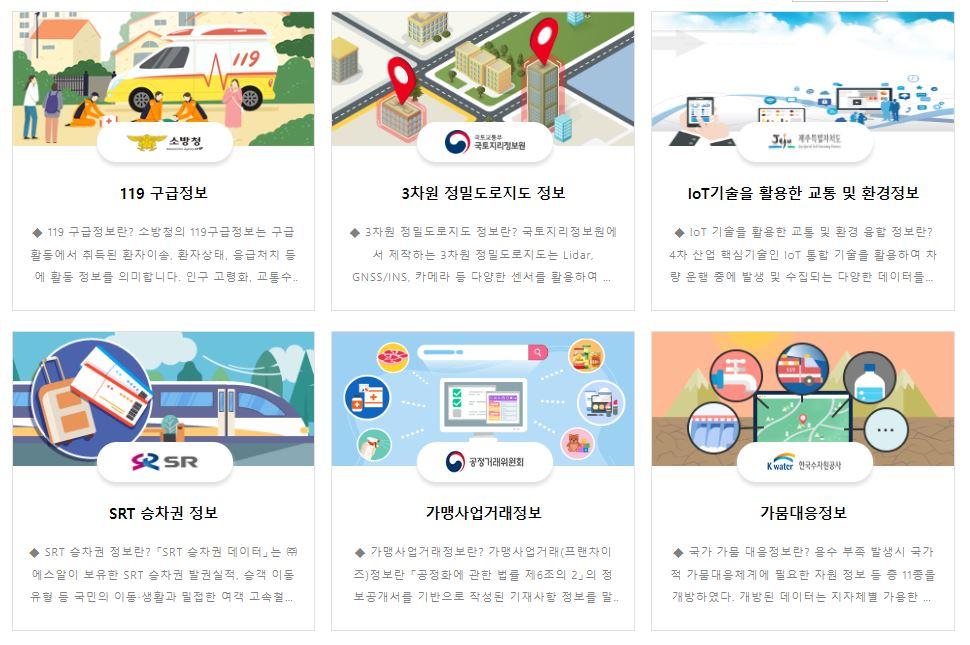 List of Public Data Portal APIs
Various public data provided by the government and local governments can be offered in API form so that developers can build a variety of services using that data. This includes many kinds of data, such as weather information, traffic information, and administrative district information.
In this way, APIs play an important role: they improve interoperability between services, add new functions to existing services, and let other platforms use a service's functions.
Obtaining and Integrating an API Key
To use an API, you need to obtain an API key. An API key is a unique identifier that an API service provider gives to a user or developer, and it is used to verify that a service request comes from a valid user.
You can get an API key from the API provider, usually after registering as a developer. The issued API key is used in the application code and must be submitted with each API request.
1. How to Get an API Key
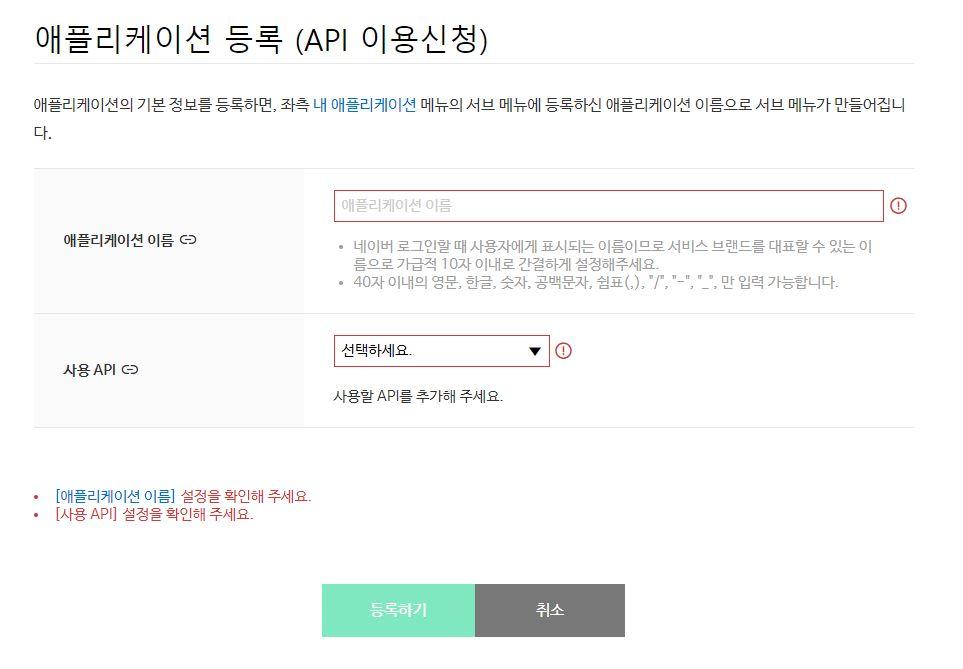 Applying for an API key
1) Sign up for the service: First, sign up on the website or platform of the service that provides the API.
2) Create a project: Some services may require you to create a specific project or app to get an API key.
3) Choose an API: Choose the API you want from those offered.
4) Request an API key: Request a key for the API you selected.
5) Receive the key: You receive a unique API key from the service provider. This key must not be shared with others, and you need to keep it secure.
2. How to Integrate an API
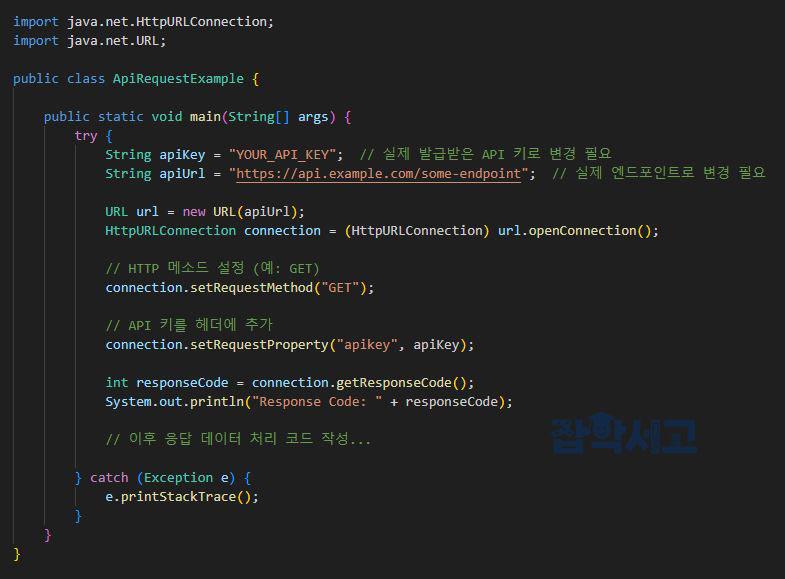 Example of integrating an API key
1) Check the API documentation: Check the official documentation or guide for the API you were issued. It contains information such as the API's endpoints (URLs), request methods (GET, POST, etc.), and required parameters.
2) Add the API key: When making an API request, you must include the API key in a header or as a query parameter in the URL. Most services add the API key in the header as an apikey field.
3) Build the request: Put together the necessary parameters or data and send the API request.
4) Handle the response: Process the response received from the API. Responses usually come in XML or JSON format, which you parse to extract and use the data you need.
5) Handle errors: In case an API request fails, check the error code or message and handle it appropriately.
How to Develop an API
API development is the process of creating an interface that enables interaction between software or systems. People usually think of web APIs, which are interfaces that exchange data over the HTTP protocol.
This article focuses on how to develop a web API and summarizes the characteristics of each step.
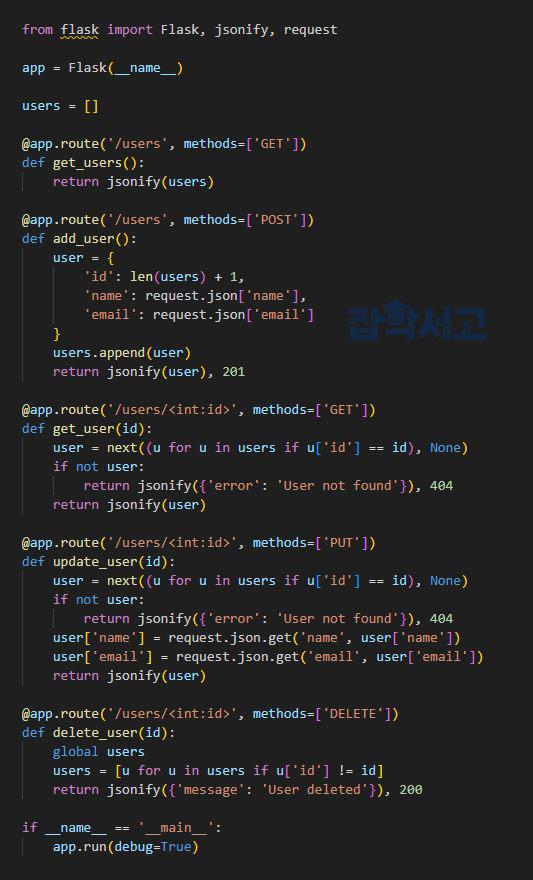 Sample code for developing a RESTful API using the Python language and the Flask web framework
1. Define the requirements
Purpose: Clearly define the problem the API aims to solve or the purpose of the service it aims to provide.
Data: Decide what data will be exchanged, along with its format and structure.
Authentication: Decide on an authentication method for identifying users or systems and granting permissions (e.g., API keys, OAuth).
2. Design
RESTful principles: Web APIs are generally designed to follow RESTful principles. This is a resource-oriented structure that maps CRUD (Create, Read, Update, Delete) operations to HTTP methods (GET, POST, PUT, DELETE).
Endpoint design: Decide the URL path for each function.
Response and request formats: Data is usually exchanged in JSON or XML format.
3. Development
Choose a framework: There are many frameworks for API development, for example Flask and Django for Python, Spring Boot for Java, and Express.js for JavaScript.
Database integration: If needed, connect to a database and implement the logic for storing, retrieving, updating, and deleting data.
Implement the logic: Implement the business logic that each endpoint will run.
4. Testing
Unit tests: Test whether each function works correctly.
Integration tests: Verify that the whole system works smoothly.
Load tests: Verify the system's stability and performance when many requests come in at the same time.
5. Deployment
Server setup: Set up the server environment that will run the API.
Domain connection: If needed, connect a domain so that users can access it easily.
Security setup: Install an SSL certificate to support communication over HTTPS.
6. Maintenance and monitoring
Logging: Record logs of API usage, errors, and performance.
Monitoring: Monitor the state of the service in real time and get alerts when problems occur.
Version management: Manage changes to the API and prevent backward-compatibility problems.
In this way, web API development goes through planning, design, development, testing, deployment, and maintenance and monitoring. The technologies and methods needed at each stage can differ depending on the framework, tools, and development environment you use.
In addition, you need to pay attention to security and performance when developing an API. To strengthen API security, you should implement authentication and authorization, and consider ways to limit API requests and control usage. To improve API performance, you should also consider caching, compression, and asynchronous processing.
That concludes our look at the concept of APIs, examples of their use, how to obtain and integrate keys, and how to develop an API.
API integration and development are very important elements of modern software development. Used well, APIs make it simple to interact with other services, and sharing functions and data can improve an application's scalability and flexibility.
You start by precisely defining the purpose and requirements, then complete the work through design, development, testing, and deployment. Integrated APIs also need ongoing monitoring and maintenance for stability and performance, and the integration and change management in this process are important factors that determine the quality of the service.
Therefore, it is important for developers to understand API development and have the skills for it. This should let developers use APIs effectively to build a wide range of applications.